🏷️ SPECS:Btrfs File SystemImmutable SnapshotsHardware RAID 5/6/10Synology Hybrid RAID (SHR)Dual 10GbE SFP+ / RJ45Hot-Swappable SATA/SAS BaysActive Backup SuiteM.2 NVMe Cache AccelerationZero Per-User License FeesPrivate Cloud Drive SyncWORM Immutable StorageAir-Gapped Backup TargetHyper Backup to CloudSurveillance Station NVRActive Directory / LDAP SyncWindows ACL IntegrationReal-Time File VersioningCross-Office ReplicationECC Memory SubsystemDual Redundant Power Supplies4-Bay to 8-Bay Desktop Tower1U to 3U Rackmount RS-SeriesExpansion Unit ScalableEnterprise IronWolf / WD Red ProSynology HAT Enterprise DrivesSilent Fan Acoustic ModeEncrypted Shared FoldersAutomated S.M.A.R.T. ChecksSealed OEM Invoiced Units3 to 5 Year Hardware Warranty
The most common mistake when buying network storage is buying consumer desktop hard drives to fill an enterprise multi-bay enclosure. Desktop drives lack rotational vibration sensors and firmware recovery timing, which causes RAID controllers to drop drives randomly during heavy read-write loads. Real storage reliability comes from matched enterprise NAS hard drives (like Seagate IronWolf Pro, WD Red Pro, or Synology HAT series) paired with NVMe read-write cache for high IOPS application performance. Tell us your current storage footprint and annual data growth, and we will configure the exact chassis, RAID layout, and drive tier suited for your office.
🧭 Onsite Installation and Staff Training for Synology at multi-branch offices
Running office storage on consumer desktop hard drives means that when a drive develops bad sectors, the entire software RAID array collapses and rebuilding fails midway through. An enterprise Synology Enterprise Network Attached Storage (NAS) pairs good for large-scale setups 24/7 NAS hard drives with dedicated hot-spare drive bays and automated S.M.A.R.T. Predictive health monitoring. When a drive shows early warning signs, the system alerts our service desk and copies data to the hot-spare before the drive fails physically. You pull the degraded drive from the front caddy and slot in a replacement without turning off the storage.
Opening a branch office in another town used to mean setting up a separate file server and trying to sync folders over unreliable VPN connections that failed during large uploads. With Synology Hybrid Share and Drive ShareSync, the head office NAS and branch NAS units synchronize active folders automatically in the background. Branch staff access files at local LAN speeds from their on-premise unit, while changes replicate back to the central hub continuously. If a broadband line drops in Kolkata, local staff continue working from local cache with zero interruption.
🔑 Why Businesses Pick Synology Enterprise Network Attached Storage (NAS) when budgets are tight
Very few businesses keep a static data volume over time. Start with four 8TB enterprise drives in RAID 5 today, and the same Synology enclosure allows you to add additional drives to open bays or replace existing drives with higher-capacity models on the fly without deleting your shared folders or stopping office work. We design each storage rollout near Digha with expansion headroom so your investment stays scalable.
Ask any business owner who relied on an external USB hard drive for company backups what happened when they actually needed to restore data after a crash. The honest answer is usually heartbreak: the drive was unplugged months ago, dropped on the floor, or failed silently during a power surge. The Synology Enterprise Network Attached Storage (NAS) provides an automated, resilient, multi-drive storage array that runs continuously without depending on anyone remembering to plug in a cable. Businesses around Digha invest in genuine centralized storage once and eliminate data loss anxiety permanently.
Manufacturing Plants: Machine Logs, ERP Backups and Dispatch Records
A 40-user chartered accountancy firm near Digha stored five years of client audit files across separate desktop computers, suffering constant version conflicts and near-miss data loss during tax filing deadlines. We deployed a 6-bay Synology Enterprise Network Attached Storage (NAS) with 32TB of enterprise SAS/SATA storage in RAID 6, formatted with Btrfs immutable snapshots. We migrated their document archives into mapped department shares integrated with Active Directory permissions. Staff work together on shared audit ledgers easily, hourly snapshots run silently, and partners access client folders securely from home over an encrypted private cloud portal.
🛡️ SUPPORT AFTER THE STORAGE IS COMMISSIONED
What Happens When Our Storage Engineers Arrive
Cable dressing, UPS communication, and rack mounting represent the engineering standard by which an integrator is judged. Sliding ReadyRails are secured with high-grade cage nuts, network patch leads are bonded and labelled at both ends, USB signaling cables are linked to the online UPS, and drive caddies are seated with recorded serial numbers.
Typical assignments our field systems team handles for corporate storage clients:
▪Online UPS USB & SNMP Automated Safe-Shutdown Integration
▪License-Free Microsoft 365 & Google Workspace Local Backup Setup
*Terms: Engineering labor, commissioning, and preventive maintenance are invoiced under our private service agreement, distinct from product hardware warranties.*
💡 Engineering Fact: Dual hot-swappable platinum power supplies share electrical load evenly, switching to 100% load on a single supply instantly if one power circuit trips.
🧾 NAS HARDWARE HEALTH & DRIVE CHECK
Need to check hard drive health, expand storage pools, or upgrade memory on an existing Synology NAS in Digha? Contact our storage desk for prompt diagnostic support.
📚 Models, Plans and What Suits Whom in and around Digha
Read across for chassis dimensions, power redundancy and snapshot capacity:
Plus Series Desktop NAS Towers for Small Offices and Studios
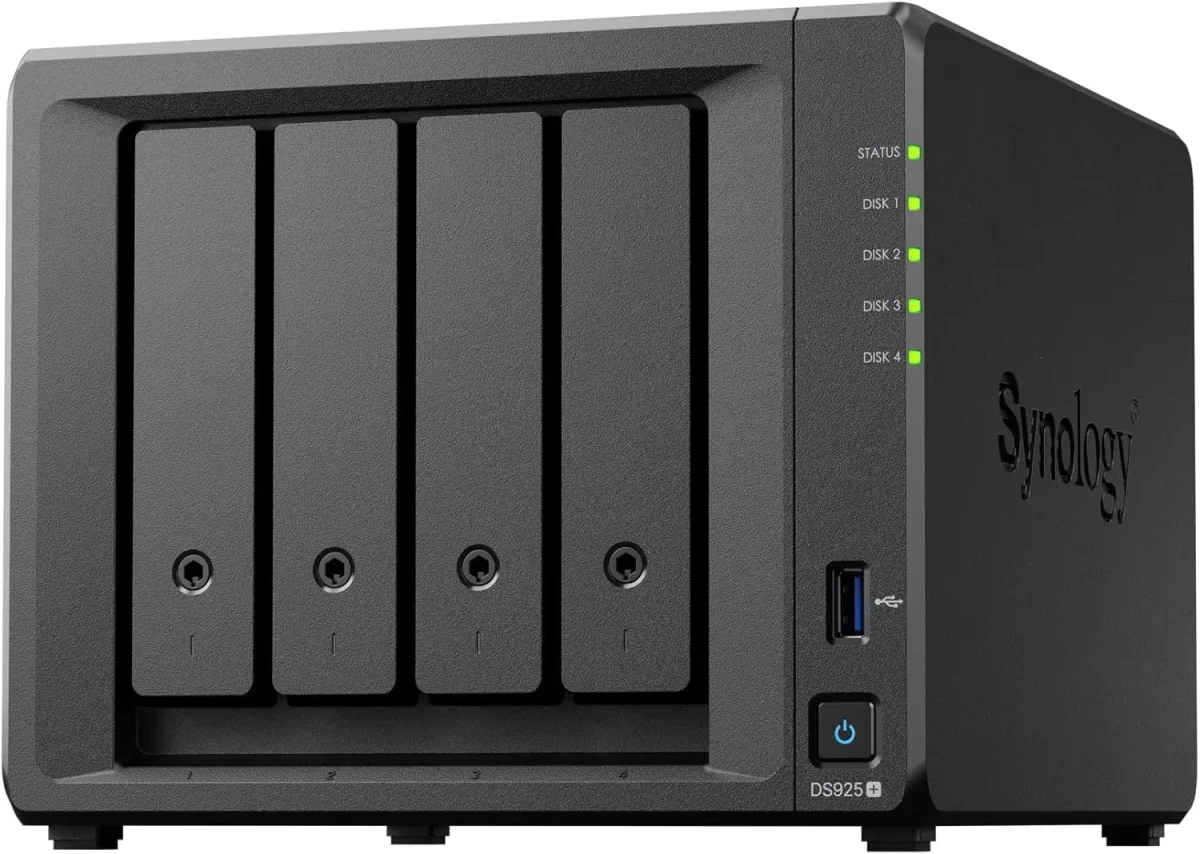
Compact 4-bay to 8-bay desktop tower NAS enclosures (such as DS923+, DS1522+, DS1821+) designed for offices of ten to fifty staff needing high-speed file sharing, private cloud access, and automated backups without requiring a server rack.
🔹 DRIVE BAYS
Four to eight hot-swappable 3.5-inch/2.5-inch SATA drive bays supporting high-capacity enterprise NAS hard drives.
🔹 EXPANSION
Supports attaching multi-bay expansion units (DX517) over eSATA when your data storage requirements grow.
🔹 FILE SYSTEM
Full Btrfs support delivering automated file self-healing, real-time versioning, and immutable ransomware-proof snapshots.
1U Rackmount RS-Series NAS for Standard Server Cabinets
Compact 1U rackmount NAS enclosures (such as RS422+, RS822+, RS1221+) designed to fit shallow and standard 19-inch server cabinets, providing strong RAID storage and virtualization backup targets.
🔹 POWER REDUNDANCY
Available with dual redundant power supplies (RP models) that protect storage operations against power circuit trips.
2U High-Capacity Rackmount Storage Servers for Enterprises
High-density 2U rackmount storage servers (such as RS2423+, RS2821RP+, RS3621xs+) built for heavy multi-user concurrent access, large media archives, and high-capacity database backup repositories.
🔹 WHO IT SUITS
Large corporate headquarters, media production facilities, hospital archives, and multi-branch data consolidation hubs.
🔹 HIGH AVAILABILITY
Configurable for Synology High Availability (SHA) clustering, pairing two identical units for sub-minute failover.
🔹 10GbE/25GbE UPLINKS
PCIe Gen3/Gen4 slots supporting dual-port 10GbE and 25GbE SFP28 fiber interfaces for high-bandwidth switch uplinks.
Enterprise 24/7 SAS and SATA Hard Drives and Trays
High-endurance good for large-scale setups SATA and SAS hard drives (from Seagate IronWolf Pro, WD Red Pro, and Synology HAT series) engineered for continuous 24/7 multi-bay vibration environments.
🔹 HOT-PLUG READY
Mounted in durable drive caddies allowing single-drive replacement while the storage array continues serving data.
🔹 WARRANTY COVERAGE
Backed by 5-year manufacturer warranty coverage with data recovery rescue services on certified drive tiers.
Supports link aggregation (LACP) across dual 10GbE interfaces for combined 20Gbps network bandwidth.
Synology High Availability (SHA) Redundant Storage Clusters
Active-Passive dual-NAS clustering that combines two identical storage servers into a single redundant cluster, providing automatic sub-minute failover if hardware fails.
🔹 AUTOMATIC FAILOVER
If the primary unit suffers a hardware, power, or network fault, the secondary unit takes over all shares in seconds.
🔹 ACTIVE-PASSIVE CLUSTER
Combines two identical Synology NAS units; the active unit serves data while the passive unit mirrors changes in real time.
🔹 WHAT IT'S FOR
Mission-critical business environments that cannot tolerate even thirty minutes of storage downtime.
Active Backup for Business: License-Free PC, Server and M365 Backup
Complete, centralized backup software embedded in DSM that backs up all office Windows PCs, physical servers, virtual machines, and cloud mailboxes locally with zero recurring license fees.
🔹 SERVER BACKUP
Application-aware image backups of physical Windows servers and Microsoft Hyper-V / VMware virtual machines.
🔹 GLOBAL DEDUPLICATION
Advanced block-level deduplication stores identical operating system and file blocks only once, saving up to 70% space.
🔹 INSTANT VM RESTORE
Boot a backed-up server image directly as a virtual machine on the NAS during emergency server outages.
Surveillance Station NVR Storage and Camera Licensing
Turns your Synology NAS into an good for large-scale setups Network Video Recorder supporting high-definition IP cameras, automated motion recording, and secure mobile monitoring.
🔹 SURVEILLANCE DRIVES
Paired with surveillance-grade enterprise hard drives (WD Purple Pro, SkyHawk AI) rated for continuous write streams.
🔹 FAILOVER RECORDING
Dual-NAS recording failover ensures video recording continues easily if the primary NVR unit restarts.
🔹 ISOLATED RECORDING
Video streams record directly to dedicated surveillance storage pools isolated from general office shared folders.
Storage AMC Contracts, Health Monitoring and Preventative Upkeep
Annual maintenance contracts providing scheduled Btrfs data scrubbing, S.M.A.R.T. Drive health analysis, snapshot verification, and emergency on-site attendance.
🔹 PREVENTATIVE VISITS
Regular physical passes - checking intake dust filters, inspecting UPS USB signaling, and updating logs.
🔹 TAILORED TIERS
Available as labour-only support or comprehensive contracts including hardware components.
🔹 PROACTIVE MONITORING
Telemetry monitoring tracking drive S.M.A.R.T. Health, pool space utilization, and backup job completion.
✉️ Service & Maintenance Support
Need site visits, AMC contract estimates, or customized installation architecture? Connect with our technical desk directly.
Turnkey Enterprise Network Attached Storage (NAS) Metrics Checklist near Digha
🛠️ Workflow Setup
Permission mapping: We mix the NAS with your Windows area controller, create shared department folders, and map granular Windows ACL permissions.
⚠️ Pitfalls to Avoid
Never format primary storage pools with ext4 when Btrfs is available; ext4 lacks immutable snapshot support and automated metadata self-healing.
🔌 Guidelines & Sizing
Label every hard drive caddy with its bay number and record the serial number before seating the trays into the enclosure backplane.
📈 Upgrade Triggers
Designers and engineers are waiting on slow network transfer progress bars when opening large CAD, video, or graphic project files.
🧮 Specifications, Explained in Plain Words for larger offices
Storage specifications look complicated on paper, so here is the practical summary. The Synology Enterprise Network Attached Storage (NAS) utilizes multi-core processors running alongside expandable ECC memory, delivering fast centralized file sharing, automated backups, and private cloud sync without desktop PC bottlenecks. For a business in Digha, the number that matters is sustained multi-user read-write throughput under concurrent office access, and that is what we configure.
Drive architecture is engineered for hardware fault tolerance. Multi-bay enclosures support hot-swappable enterprise SAS and SATA hard drives organized into RAID 1, 5, 6, 10, or Synology Hybrid RAID (SHR) arrays with active hot-spare support. A hard drive failure does not interrupt business operations - the storage pool continues serving files from parity while rebuilding onto a replacement disk in the background.
🏆 CORE PARAMETER🔹 Backup SuitesActive Backup for Business, Active Backup for M365, Hyper Backup
🔹 Surveillance SupportBuilt-in Surveillance Station NVR supporting 4K IP Cameras
🔹 Drive Form FactorsHot-Swappable 3.5-inch and 2.5-inch SAS/SATA Enterprise HDDs and SSDs
🔹 Enclosure Types4-Bay to 8-Bay Desktop Tower, 1U to 3U Rackmount Enclosures
🔹 Hardware RedundancyDual Hot-Swappable Platinum Power Supplies (Rackmount Models)
🏠 File System ArchitectureBtrfs with Self-Healing Metadata and Ext4 Support
Storage Backplane Soldering and High-Speed SAS/SATA Trace Tolerances
Data integrity is built into the core storage architecture through the advanced Btrfs file system. Featuring point-in-time snapshot technology, metadata mirroring, and automated data self-healing algorithms, the system protects critical business records against silent data corruption, hardware degradation, and malicious ransomware attacks.
The award-winning DiskStation Manager (DSM) operating system provides an enterprise-ready management platform. From centralized user access control and Windows Active Directory integration to real-time storage telemetry and automated health reporting, administrators keep complete operational oversight from any modern web browser.
✉️ SUPPORT DESK
Coordinate custom hardware configurations, AMC maintenance contracts, and site engineering visits directly with authorized integration desks.
🛠️ 10GbE SFP+ Fiber Uplinks, Link Aggregation and Switch Port Bonding
If your NAS unit lives in an office cupboard or administrative desk shelf - as many do around Digha - proper ventilation, vibration damping, and clean UPS power matter twice as much.
🧰 Installation & Setup Step by Step for growing offices
🔹Format all primary storage volumes using the Btrfs file system to enable immutable snapshots and automated data integrity self-healing.
🔹Separate the NAS management DSM web interface to an administrative VLAN and disable the default administrator username to prevent brute-force attacks.
🔹When installing M.2 NVMe SSDs for cache acceleration, configure a read-write mirrored cache pool rather than a read-only cache for optimal database throughput.
🗒️ Field Testing and What It Told Us for demanding workloads
The first thing I inspect when auditing a company's file storage is how backups are physically handled. In eight out of ten offices around Digha, people rely on an external USB hard drive plugged into an accountant's PC that nobody has tested in months. On a Synology Enterprise Network Attached Storage (NAS) running Active Backup for Business, bare-metal system backups of every PC and server run automatically over the local network every night with global deduplication. That single change turns disaster recovery from a complete gamble into a twenty-minute restore.
Storing company files on a desktop PC shared folder slows down whenever the computer is used, lacks enterprise permission controls, and stops working when the user restarts Windows. A dedicated Synology NAS operates independently on enterprise hardware engineered for 24/7 multi-user file access.
Public cloud storage services (like Google Drive or Dropbox) charge recurring monthly subscription fees per user that grow indefinitely, while upload and download speeds remain limited by internet bandwidth. An on-premise Synology NAS provides high-speed local LAN file transfers with fixed one-time hardware investment and zero per-user monthly fees.
💡 Engineering Fact: Active Backup for Business global deduplication analyzes data blocks across all backed-up office workstations, storing identical Windows operating system files only once.
✅ Support Cover, Response Times and Visit Schedule for single-office teams
Industry Sector
Typical NAS Storage Configuration
Standard Lead Time
Manufacturing Plants & Depots
1U/2U Rackmount NAS with dual PSUs, RAID 5 enterprise drives for automated server and PC system image backups
Scheduled 5 to 7 business days
Commercial Security & Facility Teams
Rackmount NAS running Surveillance Station with high-endurance surveillance hard drives for 32+ 4K IP cameras
Typically 3 to 5 business days
Corporate Head Offices
High-Availability Dual-NAS cluster with Active Backup for Microsoft 365 mailboxes and department file shares
Typically 5 to 7 business days
✅ Everyday Responsiveness for Staff when the office is busiest
Snapshot recovery timed on a 500GB shared folder following a simulated file overwrite.
FEWER HEADACHES - IN PLAIN WORDS
WHERE IT FALLS SHORT SPELLED OUT UPFRONT
✓Dedicated M.2 NVMe SSD cache slots accelerate random read-write IOPS throughput without consuming front storage drive bays.
—Synology High Availability (SHA) clustering requires purchasing two identical NAS enclosures and identical hard drive configurations.
✓Dual 10GbE SFP+ fiber and multi-gigabit network ports eliminate file transfer bottlenecks for CAD designers and video editors.
—Branch synchronization requires stable outbound internet bandwidth at all participating locations for smooth real-time file replication.
✓Full manufacturer warranty with genuine serial numbers registered directly to your company, backed by local engineering support in Kolkata.
—Immutable snapshots protect data against modification and deletion, but catastrophic physical building damage still requires an offsite backup copy.
✓Metadata self-healing on Btrfs storage pools detects and corrects silent data corruption automatically using parity data.
—Enterprise hard drives are sold separately from the NAS enclosure and represent a major part of the overall storage investment.
✓A failed hard drive does not stop business operations; the controller continues serving data from parity and rebuilds onto a hot-spare automatically.
—RAID parity calculations and snapshot overhead reduce usable storage capacity by 20% to 35% compared to raw hard drive ratings.
💡 Engineering Fact: AES-256 bit hardware-accelerated volume encryption protects stored data from physical drive theft without imposing computational bottlenecks on file transfers.
⚡ SYSTEM DEPLOYMENT ARCHITECTURE
Ready to secure your premises in Digha?
Get comprehensive structured network setups, professional hardware alignment, and authorized warranty support allocations natively.
Q. What happens if our storage runs out of space in two years?
You can expand storage in three ways: replace existing hard drives with larger-capacity drives one by one on the fly without deleting data, insert additional drives into unpopulated drive bays, or connect a multi-bay expansion enclosure (such as DX517 or RX1222sas) to the dedicated expansion port.
Q. What happens if a hard drive in the NAS fails during the working day?
When configured in RAID 5, RAID 6, or RAID 10, the NAS continues serving shared files without interruption from parity data. If an active hot-spare drive is configured, the system begins rebuilding parity onto the hot-spare automatically. Our service desk receives an automated health alert, and our engineer replaces the degraded drive from the front hot-swap caddy without turning off the NAS.
Q. How do immutable snapshots protect our company files from ransomware?
Ransomware attacks work by encrypting local files and network shared folders. The Btrfs file system on a Synology NAS captures point-in-time snapshots of your data independently of the operating system. When configured as immutable snapshots with WORM policies, these snapshots cannot be modified, encrypted, or deleted by any user or malware. If an infection occurs, our engineers restore your entire shared folder structure to its pre-attack state in seconds.
Q. How do we connect branch offices together to share company files?
With Synology Drive ShareSync and Hybrid Share, each branch office operates a local NAS that synchronizes active shared folders with the central head office NAS automatically. Branch staff open files at high local LAN speeds, while changes synchronize in the background over encrypted internet connections.
Q. What is Active Backup for Business and are there recurring software license fees?
Active Backup for Business is a complete backup suite built directly into the Synology operating system (DSM) that backs up all office Windows PCs, physical servers, virtual machines, and Microsoft 365 accounts automatically onto the NAS. There are zero software license fees, zero user CALs, and zero monthly subscription charges. It includes global deduplication technology that saves massive amounts of storage space.
💡 Engineering Fact: Immutable snapshots locked with compliance timers cannot be deleted or shortened even by the root administrator account until the retention period expires.
🔄 RELATED INFRASTRUCTURE SOLUTIONS
Complementary Enterprise Systems We Deploy in Digha
Deliver wire-speed 10GbE fiber file transfers to your storage array with managed network switches across Digha.
🚩 Local Business area and Our Coverage for offices in Digha
📍 Digha
Digha is Kolkata’s primary coastal resort destination, bustling with thousands of daily tourists, seaside hotels, and commercial eateries. The constant turnover of resort guests and seaside traffic makes property security a top priority. Enterprise Network Attached Storage (NAS) by Synology offers dependable weather-resistant monitoring built to endure salty coastal air. Hotel managers, parking operators, and shop owners rely on Enterprise Network Attached Storage (NAS) to keep in-depth eye on reception desks, dining areas, and beachside access roads.
Clear night vision and wide lens options keep every corner visible even during peak holiday seasons. Running a smooth business in Digha means protecting your guests and property around the clock. Choosing Synology security solutions gives you a clean, low-maintenance surveillance network you can manage remotely.