
Ransomware-Proof Enterprise Cloud Backup & Business Continuity Vaults
We engineer completely automated, immutable off-site cloud backup frameworks to secure your corporate databases, financial data, and server images. Protect your business from mechanical drive failures, internal data deletion, and malicious encryption loops with verified daily restoration passes across Kolkata.
The Fatal Flaws of Traditional Data Backup Methods
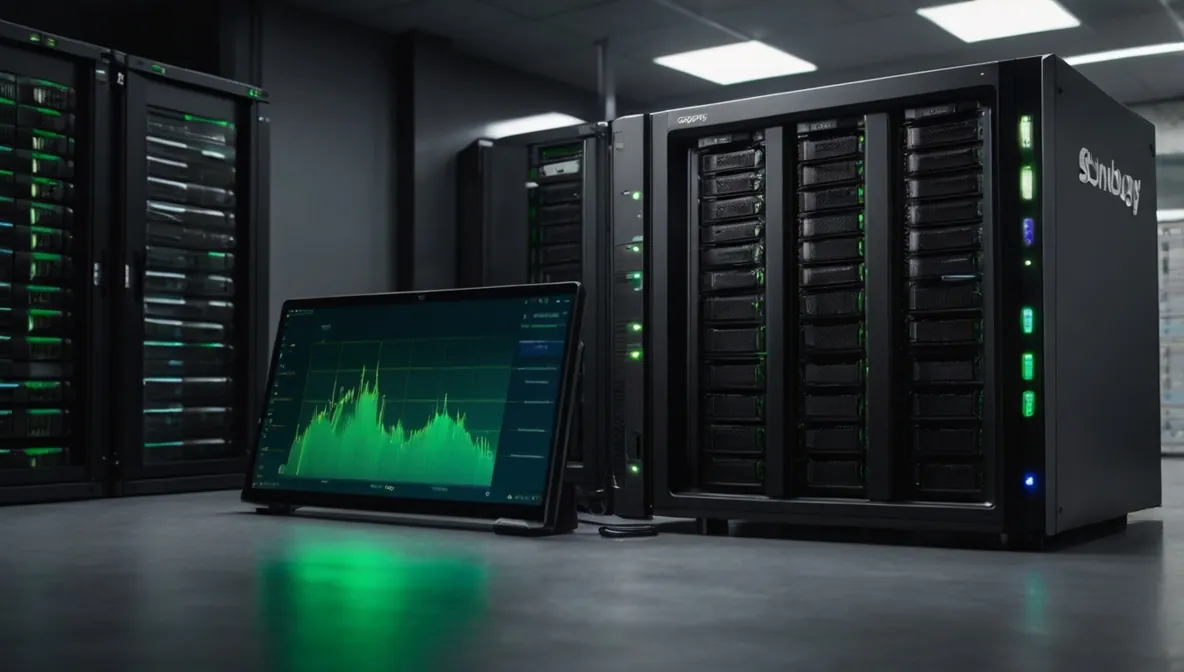 Figure 1: Microtech Solutions high-availability data backup matrix combining local NAS pre-staging with encrypted cloud replication.
Let's run a quick, honest sanity check on how most local businesses handle their data protection. Many companies across West Bengal are still relying on a loose USB external hard drive sitting on an accountant's desk, or trusting basic cloud sync tools like OneDrive or Google Drive to protect their historical company archives. These are not true business continuity backups; they are severe data safety gaps. A connected USB drive is physically tied to your local infrastructure-if a ransomware infection breaches your perimeter, the malware will scan your network paths and encrypt that attached backup drive dead first.
Similarly, basic cloud synchronization drives are designed for file access, not historical recovery. If an employee accidentally overwrites a critical database file, gets frustrated and empties their trash folder, or if a local file gets corrupted by a malware string, that destructive change synchronizes across your cloud accounts instantly. You end up with a beautifully synced copy of completely broken, useless data. True operational resilience requires an isolated, multi-version data backup strategy that stands completely separate from your daily active network environment.
The Financial Reality of Sudden Corporate Data Loss
Your company data is the absolute master blueprint of your entire business operations desk. If you lose your historical client ledgers, unbacked Tally databases, or active project engineering files, your business grinds to a sudden, painful halt. The financial impact of data loss isn't just the cost of hiring a technician to fix a server-it's the massive cost of operational downtime. Your staff cannot log transactions, your billing cycle freezes, and your business bleeds real money every single hour your systems remain offline. In severe cases, companies across West Bengal have faced permanent closure simply because their data recovery plans failed during a hardware crisis.
Deploying a lab-tested, immutable cloud backup vault completely eliminates this operational pressure. By stripping away manual human dependencies, your servers, applications, and endpoint machines upload encrypted, bit-by-bit snapshots of their active workloads to secure off-site environments automatically. If a local drive chokes mechanically or malware encrypts your main server, you don't have to scramble or pay an exorbitant extortion fee to anonymous hackers. You simply wipe the affected hardware and roll back your entire system image to how it looked minutes before the crash, keeping your business survival secure.
Real-Life Scenario: Restoring an Empty Shortcut Trap
I don't base our data protection strategies on generic software checkmarks; I rely on real lab validation and mock restoration drills. I once stepped in to help a local engineering firm in Kolkata that thought their data was perfectly safe because their legacy backup dashboard had been displaying a comforting green "Success" badge for months. However, when an internal server drive suffered a sudden mechanical crash, their team faced an absolute nightmare scenario.
The generic backup tool they used had been misconfigured during a software upgrade. Instead of backing up their actual live ERP database folder, it was blindly backing up an empty 1KB shortcut link. The software saw the link transfer successfully and marked the job as green, but their actual company data was completely unbacked. It took a massive, manual data extraction effort in our lab to salvage their system files. That critical near-miss is why Microtech Solutions runs strict, routine manual restoration passes-we check that your data can actually be rebuilt when an emergency strikes.
| Data Vector Profile | The Standard SME Vulnerability | Our Immutable Backup Vault Standard | Operational Continuity Impact |
|---|---|---|---|
| Storage Architecture | Single local drive copies vulnerable to fire, theft, or local water damage. | Strict 3-2-1 rule execution with localized NAS pre-staging and off-site cloud mirrors. | Guarantees data survival even if your physical building is completely inaccessible. |
| Ransomware Defense | Connected network shares that can be modified or deleted by local malware. | Write-Once-Read-Many (WORM) immutability flags locked at the root storage block. | Malicious software strings cannot encrypt or wipe your historical archive states. |
| Recovery Time (RTO) | Days spent reinstalling operating systems and patching data fields manually. | Bare-Metal recovery allowing full system state restoration to alternate hardware fast. | Reduces server restoration windows from days down to under an hour. |
| Data Verification | Assuming backup scripts are functional based on unverified automated emails. | Automated block-level verification passes and routine mock restoration testing drills. | Ensures zero file corruption when you need to pull down data during a crisis. |
Common Backup Blunders: The Illusion of Security
The single biggest mistake businesses make is failing to define their Recovery Point Objective (RPO). Honestly, anyone can lose track of backup schedules when managing a growing corporate office. But running heavy system backups over an unmanaged internet link during peak operational hours will choke your entire workspace. I once resolved a bottleneck call near Howrah where an office network would drop into extreme latency every afternoon at 3 PM.
A past technician had set their file server to upload uncompressed, raw directory blocks straight to the web right in the middle of their shift. It was completely paralyzing their corporate communication channels. I isolated the upload script, turned on data de-duplication, and rescheduled the heavy synchronization cycles to run silently past midnight. Another frequent blunder is failing to backup cloud environments like Microsoft 365 or Google Workspace under the false assumption that Microsoft or Google automatically backs up deleted internal items. They don't-internal user deletions are synchronized globally, making independent cloud-to-cloud backups absolutely mandatory.
The Sequential Roadmap for High-Availability Data Protection
Before you face a hard drive failure or system corruption, secure your infrastructure assets using this battle-tested engineering checklist:
- Map out every critical data storage path: Document where your primary databases, accounting software paths, financial spreadsheets, and configuration records live across your office machines.
- set up automated daily block-level deduplication: Only upload changed data blocks rather than re-copying entire giant database files to make better bandwidth and minimize storage costs.
- separate your backup storage credentials completely: The administration passwords for your backup vaults must never be linked to your main area directory to prevent a compromised admin account from deleting backups.
- Enforce Write-Once-Read-Many (WORM) immutability: Lock your archival retention periods so that even if a system user requests a deletion, the cloud platform securely holds the file states for safety.
- Align data redundancy with core network stability: make sure your local area network runs fast and clean. A stable data sync path relies heavily on structured cabling and optimization loops, as in-depth in our SME IT Optimization framework.
Frequently Asked Questions Regarding Disaster Recovery Frameworks
What exactly is an "immutable" backup and how does it block ransomware?
An immutable backup is a data security profile that locks your uploaded files using specialized Write-Once-Read-Many (WORM) server protocols. Once your data enters our secure cloud vault, the historical snapshots cannot be modified, overwritten, or deleted by any user, terminal machine, or network application for a set retention window. Even if ransomware gains admin access to your local server, it cannot change the off-site archive blocks.
How long does it take to restore a full corporate database after a hardware failure?
With our hybrid data replication standards, minor file recoveries take under five minutes because we pull them straight from your local NAS appliance. For a total server crash, we use bare-metal image restores that allow us to spin up your entire operating system, applications, and files onto an alternate physical machine or cloud instance in under an hour, bypassing manual re-installations entirely.
Do we really need an independent backup for our Microsoft 365 or Google Workspace data?
Yes, absolutely. Cloud providers operate on a shared responsibility model. They promise the uptime of their global infrastructure, but they do not protect your data from internal user errors, accidental folder deletions, malicious insider activity, or external phishing deletions. If an account is deleted or wiped out, it drops out of the cloud ecosystem permanently unless you run independent cloud-to-cloud backup routines.
Will running daily system backups slow down our office internet connection?
Not when handled through our optimization processes. We use block-level incremental mapping and data compression technology, meaning our software only packages and transfers the tiny text rows or file changes made since the previous run. Furthermore, we program the heavy transmission routines to execute silently during off-peak night hours, ensuring your daytime business operations face zero latency bottlenecks.
Can we restore single lost emails or specific past document versions?
Yes. Our solutions support granular restoration matrices. You don't have to pull down a giant 500GB server image just to find one missing file. You can open our secure extraction browser, navigate through your historical backup timeline, select a specific spreadsheet version from three weeks ago or a single deleted inbox message, and restore it straight back to its folder patch instantly.
Our Hardened Cloud Resiliency Stack
- Hybrid 3-2-1 Architecture Setup: Provisioning and managing local NAS appliances (Synology, QNAP) paired with secure, remote cloud endpoint replication nodes.
- Immutable Vault Provisioning: Setting up ransomware-proof off-site data pools using Acronis Cyber Cloud platforms to promise file survival.
- M365 & Workspace Cloud-to-Cloud Backups: Independent, automated archival protection for corporate emails, SharePoint directories, and team collaboration files.
- Bare-Metal Server Image Backups: Creating full system state snapshots of Windows Server, VMware, and Hyper-V host layouts for rapid disaster recovery.
- Daily Verification Logs: Continuous monitoring of data block integrity and routine mock restoration exercises to promise error-free recoveries, supported by our Remote Managed IT support desk.