🏷️ SPECS:Btrfs File SystemImmutable SnapshotsHardware RAID 5/6/10Synology Hybrid RAID (SHR)Dual 10GbE SFP+ / RJ45Hot-Swappable SATA/SAS BaysActive Backup SuiteM.2 NVMe Cache AccelerationZero Per-User License FeesPrivate Cloud Drive SyncWORM Immutable StorageAir-Gapped Backup TargetHyper Backup to CloudSurveillance Station NVRActive Directory / LDAP SyncWindows ACL IntegrationReal-Time File VersioningCross-Office ReplicationECC Memory SubsystemDual Redundant Power Supplies4-Bay to 8-Bay Desktop Tower1U to 3U Rackmount RS-SeriesExpansion Unit ScalableEnterprise IronWolf / WD Red ProSynology HAT Enterprise DrivesSilent Fan Acoustic ModeEncrypted Shared FoldersAutomated S.M.A.R.T. ChecksSealed OEM Invoiced Units3 to 5 Year Hardware Warranty
Why are staff across the office still emailing spreadsheets to themselves or carrying files on pen drives just to work together on a drawing? In nine out of ten offices I visit, the shared folder lives on an old PC under an accountant's desk that freezes whenever four people open a CAD file simultaneously. The Synology Enterprise Network Attached Storage (NAS) consolidates company files into a high-speed centralized storage array with enterprise RAID redundancy, sub-second file search, and automated version history. We size, populate with tested enterprise drives, and deploy these systems for businesses across South Bankimpally, verifying network read-write throughput in front of you before handover.
🧭 Local Engineers for Synology Enterprise Network Attached Storage (NAS) at multi-branch offices
Designers, video editors, and structural engineers moving multi-gigabyte media files over standard gigabit cables waste hours watching transfer progress bars crawl across their screens. A Synology Enterprise Network Attached Storage (NAS) configured with dual-port 10GbE SFP+ fiber or 10GBASE-T network cards and NVMe solid-state cache pools delivers sequential transfer speeds exceeding 1,000 MB/s. Large project files open instantly across the local network, multiple editors work together directly off shared project folders without local caching, and design deadlines in Kolkata are met without workflow bottlenecks.
The external compliance assessor asked for proof of historical data retention, access permission logs, and automated disaster recovery copies, and nobody could produce a verified record from the office shared drive. A Synology Enterprise Network Attached Storage (NAS) maintains in-depth access logs, encrypts shared folders with AES-256 bit hardware encryption, and automates secondary offsite backups to a remote NAS or cloud repository via Hyper Backup. Reports export directly for compliance reviews, turning an audit scramble into a simple demonstration.
🔑 Why Businesses Pick Synology Enterprise Network Attached Storage (NAS) when budgets are tight
Very few businesses keep a static data volume over time. Start with four 8TB enterprise drives in RAID 5 today, and the same Synology enclosure allows you to add additional drives to open bays or replace existing drives with higher-capacity models on the fly without deleting your shared folders or stopping office work. We design each storage rollout near South Bankimpally with expansion headroom so your investment stays scalable.
Ask any business owner who relied on an external USB hard drive for company backups what happened when they actually needed to restore data after a crash. The honest answer is usually heartbreak: the drive was unplugged months ago, dropped on the floor, or failed silently during a power surge. The Synology Enterprise Network Attached Storage (NAS) provides an automated, resilient, multi-drive storage array that runs continuously without depending on anyone remembering to plug in a cable. Businesses around South Bankimpally invest in genuine centralized storage once and eliminate data loss anxiety permanently.
Manufacturing Plants: Machine Logs, ERP Backups and Dispatch Records
A 40-user chartered accountancy firm near South Bankimpally stored five years of client audit files across separate desktop computers, suffering constant version conflicts and near-miss data loss during tax filing deadlines. We deployed a 6-bay Synology Enterprise Network Attached Storage (NAS) with 32TB of enterprise SAS/SATA storage in RAID 6, formatted with Btrfs immutable snapshots. We migrated their document archives into mapped department shares integrated with Active Directory permissions. Staff work together on shared audit ledgers easily, hourly snapshots run silently, and partners access client folders securely from home over an encrypted private cloud portal.
🛡️ SUPPORT AFTER THE STORAGE IS COMMISSIONED
What Happens When Our Storage Engineers Arrive
We operate as an independent systems integrator and authorized technology partner, not an unverified reseller. Our certified engineers configure the RAID storage pool, do 24-hour bad sector surface tests on all hard drives in our lab, format Btrfs volumes, and commission the system on site. Manufacturer hardware warranty entitlements remain directly with Synology, and our local desk manages the support process until any issue is resolved.
Turnkey NAS deployments delivered on site and supported remotely:
▪Quarterly Storage Health Audits, Btrfs Scrubbing & Log Reviews
▪Out-of-Hours File Server Migration & Windows ACL Permission Mapping
▪Annual Storage Maintenance Contracts (AMC) with Defined SLAs
*Terms: Engineering labor, commissioning, and preventive maintenance are invoiced under our private service agreement, distinct from product hardware warranties.*
💡 Engineering Fact: Drive ShareSync uses block-level differential synchronization, transferring only modified data blocks across branch offices rather than re-uploading entire files.
🧾 NAS HARDWARE HEALTH & DRIVE CHECK
Need to check hard drive health, expand storage pools, or upgrade memory on an existing Synology NAS in South Bankimpally? Contact our storage desk for prompt diagnostic support.
📚 Pick the Right Variant Without Overspending across Kolkata
Every storage series, its bay layout and rack requirements, listed together:
Plus Series Desktop NAS Towers for Small Offices and Studios
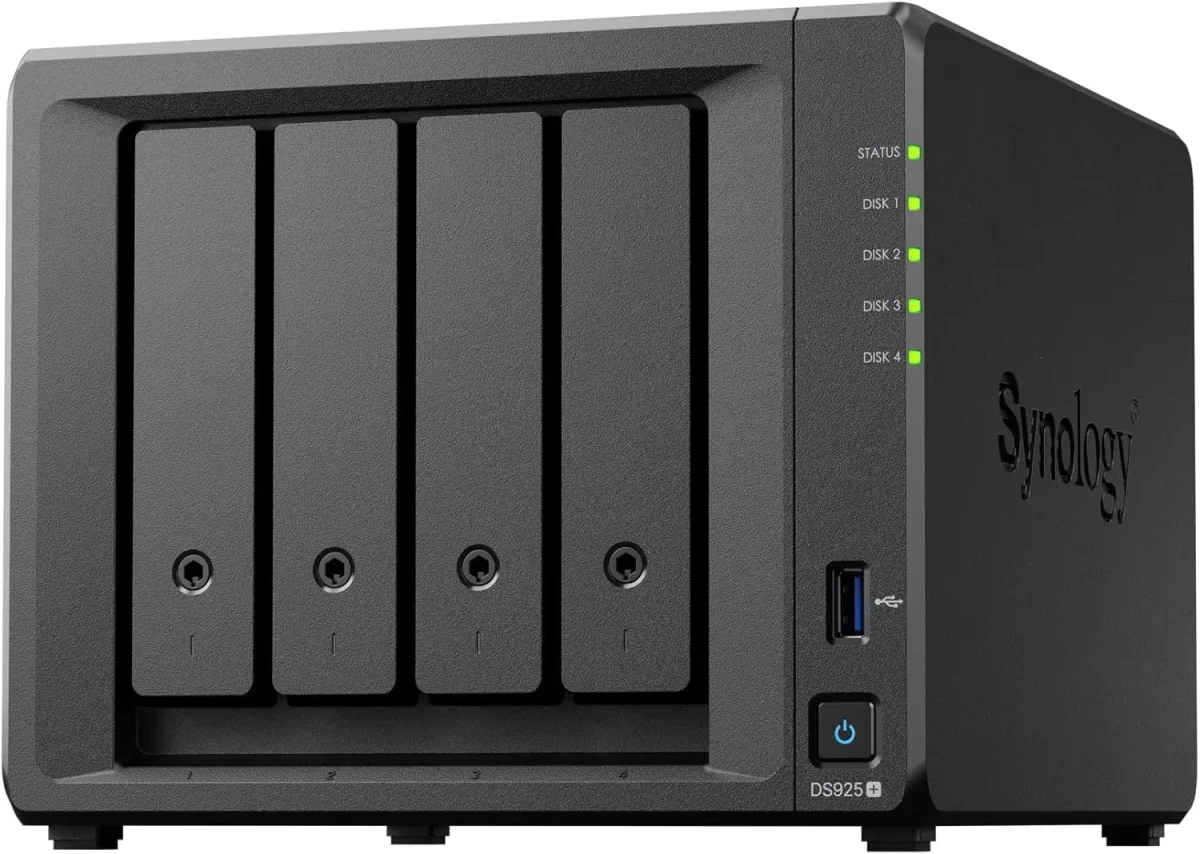
Compact 4-bay to 8-bay desktop tower NAS enclosures (such as DS923+, DS1522+, DS1821+) designed for offices of ten to fifty staff needing high-speed file sharing, private cloud access, and automated backups without requiring a server rack.
🔹 EXPANSION
Supports attaching multi-bay expansion units (DX517) over eSATA when your data storage requirements grow.
🔹 PRIVATE CLOUD
Synology Drive provides cross-platform file synchronization and secure remote access from any browser or mobile device.
🔹 NETWORK PORTS
Multiple 1GbE/2.5GbE RJ45 ports with link aggregation, plus optional 10GbE upgrade module slots for fast file transfers.
1U Rackmount RS-Series NAS for Standard Server Cabinets
Compact 1U rackmount NAS enclosures (such as RS422+, RS822+, RS1221+) designed to fit shallow and standard 19-inch server cabinets, providing strong RAID storage and virtualization backup targets.
🔹 DRIVE CAPACITY
Four hot-pluggable 3.5-inch/2.5-inch SATA/SAS drive bays supporting hardware RAID 1, 5, 6, 10, and Synology Hybrid RAID.
🔹 VIRTUALIZATION READY
Certified iSCSI and NFS storage target for Microsoft Hyper-V, VMware vSphere, and Citrix XenServer environments.
🔹 EXPANDABILITY
Connects to dedicated rackmount expansion enclosures (RX418) for adding additional drive bays easily.
2U High-Capacity Rackmount Storage Servers for Enterprises
High-density 2U rackmount storage servers (such as RS2423+, RS2821RP+, RS3621xs+) built for heavy multi-user concurrent access, large media archives, and high-capacity database backup repositories.
🔹 MEMORY CAPACITY
Expandable up to 64GB+ of high-speed ECC registered RAM across multi-channel memory architectures.
Dual hot-swappable 500W+ Platinum power supplies connected across separate online UPS lines.
Enterprise 24/7 SAS and SATA Hard Drives and Trays
High-endurance good for large-scale setups SATA and SAS hard drives (from Seagate IronWolf Pro, WD Red Pro, and Synology HAT series) engineered for continuous 24/7 multi-bay vibration environments.
Backed by 5-year manufacturer warranty coverage with data recovery rescue services on certified drive tiers.
🔹 TESTED BEFORE GO-LIVE
Every hard drive undergoes a 24-hour bad sector surface scan and S.M.A.R.T. Extended diagnostic test in our lab.
M.2 NVMe SSD Cache Modules and 10GbE Network Cards
High-endurance enterprise M.2 NVMe solid-state drives for read-write cache acceleration, paired with PCIe 10GbE SFP+ fiber network adapters for wire-speed collaboration.
🔹 HIGH RANDOM IOPS
Boosts random read-write throughput up to 100,000+ IOPS, making multi-user file opening instantaneous.
🔹 ENTERPRISE ENDURANCE
High Drive Writes Per Day (DWPD) ratings designed to withstand continuous cache write workloads.
🔹 WHAT IT'S FOR
Eliminating storage I/O bottlenecks and accelerating file transfers for CAD designers, database users, and video editors.
Synology High Availability (SHA) Redundant Storage Clusters
Active-Passive dual-NAS clustering that combines two identical storage servers into a single redundant cluster, providing automatic sub-minute failover if hardware fails.
🔹 BLOCK-LEVEL SYNC
All data writes, configuration changes, and snapshots replicate at the block level before transactions complete.
🔹 REQUIREMENTS
Requires two identical Synology NAS models, identical drive capacities, and a dedicated direct heartbeat patch cable.
🔹 ACTIVE-PASSIVE CLUSTER
Combines two identical Synology NAS units; the active unit serves data while the passive unit mirrors changes in real time.
Active Backup for Business: License-Free PC, Server and M365 Backup
Complete, centralized backup software embedded in DSM that backs up all office Windows PCs, physical servers, virtual machines, and cloud mailboxes locally with zero recurring license fees.
🔹 INSTANT VM RESTORE
Boot a backed-up server image directly as a virtual machine on the NAS during emergency server outages.
🔹 GLOBAL DEDUPLICATION
Advanced block-level deduplication stores identical operating system and file blocks only once, saving up to 70% space.
🔹 REPORTING & ALERTS
Automated daily email summaries confirming backup job completion and flagging any disconnected laptops.
Surveillance Station NVR Storage and Camera Licensing
Turns your Synology NAS into an good for large-scale setups Network Video Recorder supporting high-definition IP cameras, automated motion recording, and secure mobile monitoring.
🔹 EXPANDABLE LICENSING
Enclosures include default camera licenses and support expansion packs up to dozens of concurrent camera streams.
🔹 SECURE LIVE VIEW
Multi-screen live monitoring from web browsers, dedicated desktop client software, or iOS/Android mobile apps.
🔹 FAILOVER RECORDING
Dual-NAS recording failover ensures video recording continues easily if the primary NVR unit restarts.
Storage AMC Contracts, Health Monitoring and Preventative Upkeep
Annual maintenance contracts providing scheduled Btrfs data scrubbing, S.M.A.R.T. Drive health analysis, snapshot verification, and emergency on-site attendance.
🔹 HANDOVER
All documentation, passwords, and access keys remain your company property throughout the contract.
🔹 WHAT IT COVERS
Scheduled preventative storage audits, Btrfs data scrubbing, DSM firmware patching, and emergency callout support.
🔹 DOCUMENTATION
Complete storage asset registers, RAID maps, and DSM administrative credentials maintained and updated at every visit.
✉️ Service & Maintenance Support
Need site visits, AMC contract estimates, or customized installation architecture? Connect with our technical desk directly.
🛠️ 10GbE SFP+ Fiber Uplinks, Link Aggregation and Switch Port Bonding
A business NAS server rarely fails due to software; it fails from physical causes - unconditioned power cuts mid-write, accumulated fan dust, vibration from mismatched drives, or thermal pooling.
🛠️ Installation & Setup - A Walkthrough across Kolkata
🔹Always populate NAS storage pools with enterprise-certified 24/7 hard drives (IronWolf Pro, WD Red Pro, or Synology Enterprise) rather than consumer desktop drives.
🔹Assign static IP addresses to bonded network interfaces and configure LACP IEEE 802.3ad link aggregation on the connecting managed switch for redundancy.
🔹Format all primary storage volumes using the Btrfs file system to enable immutable snapshots and automated data integrity self-healing.
🗒️ Where the Datasheet and Reality Differ for demanding workloads
Follow the 3-2-1 backup rule: keep three copies of your data on two different media types, with one copy stored offsite. Use Hyper Backup on the NAS to replicate critical encrypted backups nightly to an offsite secondary NAS or secure cloud vault. If your primary building suffers physical damage or theft, your offsite copy guarantees full business recovery.
Comparing storage brands comes down to file system architecture, snapshot capabilities, and backup software integration. Synology leads the enterprise market with its Btrfs self-healing file system, license-free Active Backup ecosystem, and seamless multi-branch synchronization tools.
An external USB hard drive provides zero redundancy, lacks automated health monitoring, and can be dropped, stolen, or encrypted by ransomware in seconds. A Synology Enterprise Network Attached Storage (NAS) uses multi-drive hardware RAID redundancy, automated immutable snapshots, and continuous background data integrity verification.
💡 Engineering Fact: Btrfs data scrubbing reads all data blocks across a RAID array, verifies checksum integrity, and remaps weak sectors proactively during scheduled maintenance.
✅ Onsite Visits, Remote Fixes and Escalation for single-office teams
Industry Sector
Typical NAS Storage Configuration
Standard Lead Time
CA, Audit & Financial Firms
6-Bay Desktop NAS with RAID 6 Btrfs storage, Active Directory sync and immutable snapshots for client audit files
Typically 3 to 5 business days
Commercial Security & Facility Teams
Rackmount NAS running Surveillance Station with high-endurance surveillance hard drives for 32+ 4K IP cameras
Typically 3 to 5 business days
Manufacturing Plants & Depots
1U/2U Rackmount NAS with dual PSUs, RAID 5 enterprise drives for automated server and PC system image backups
Scheduled 5 to 7 business days
✅ Room to Grow Before You Need an Upgrade when the office is busiest
Timed from pulling a failed hard drive to the hot-spare completing parity rebuild.
PRACTICAL GAINS - IN PLAIN WORDS
PREPARATION YOU WILL NEED SPELLED OUT UPFRONT
✓Easy to set up without complications with Windows Active Directory and LDAP allows existing office user accounts and security permissions to map directly.
—10GbE network speeds require matching 10GbE switch ports, SFP+ optical transceivers, and Cat6A or fiber cabling across the network.
✓Active Backup for Microsoft 365 protects corporate mailboxes, OneDrive files, and SharePoint repositories locally with zero recurring monthly subscription costs.
—Immutable snapshots protect data against modification and deletion, but catastrophic physical building damage still requires an offsite backup copy.
✓Synology Drive and Drive ShareSync synchronize files across distributed branch offices automatically, providing fast local access with centralized sync.
—A small 3-person office sharing basic Word files rarely requires a multi-bay 10GbE NAS; a basic cloud folder is usually enough.
✓Proactive S.M.A.R.T. Disk telemetry alerts our service desk when a drive approaches error thresholds, allowing replacement before failure.
—Restoring terabytes of archived data across the network takes time, governed by physical hard drive read-write limits and network bandwidth.
✓Customizable storage quotas per user or department prevent a single employee from filling up the entire company storage pool.
—Desktop NAS towers placed on open office shelves accumulate airborne dust over time and require routine preventative cleaning.
💡 Engineering Fact: Dedicated M.2 NVMe SSD read-write cache pools store frequently accessed database indexes and small files in memory, delivering random I/O latency below 0.1 milliseconds.
⚡ SYSTEM DEPLOYMENT ARCHITECTURE
Ready to secure your premises in South Bankimpally?
Get comprehensive structured network setups, professional hardware alignment, and authorized warranty support allocations natively.
Turnkey Enterprise Network Attached Storage (NAS) Metrics Checklist near South Bankimpally
🛠️ Workflow Setup
RAID & Btrfs initialization: We build the hardware RAID array, format Btrfs storage pools, install NVMe cache modules, and update DSM operating system firmware.
⚠️ Pitfalls to Avoid
Never populate a multi-bay enterprise NAS with consumer desktop hard drives; desktop drives lack vibration damping and will drop out of RAID arrays.
🔌 Guidelines & Sizing
Specify genuine Synology PERC-grade hardware RAID controllers and make sure storage pools are formatted with the Btrfs file system for snapshot support.
📈 Upgrade Triggers
Someone accidentally deleted a critical client folder, and the only backup was an external hard drive that had not been plugged in for months.
🧮 How Much It Handles Before It Slows Down for larger offices
Management is handled through an intuitive web-based interface (DiskStation Manager) with full Windows Active Directory and LDAP integration. User access permissions, folder quotas, storage pool health, and automated S.M.A.R.T. Disk diagnostic alerts are monitored and administered from a single screen.
Hardware enclosures and enterprise hard drives are itemized transparently on our proposals. Every unit is supplied with authentic manufacturer warranty coverage, factory service tags, and local engineering setup. We document all IP configurations, RAID maps, and snapshot retention schedules at project handover.
🏆 CORE PARAMETER🔹 Expansion CapabilitySupports eSATA and SAS Multi-Bay Expansion Units (DX/RX Series)
🔹 Backup SuitesActive Backup for Business, Active Backup for M365, Hyper Backup
🔹 Warranty Coverage3 to 5 Year Manufacturer Hardware Warranty with Local Support
🔹 Ransomware DefenseImmutable Snapshots, WORM Compliance Volumes and Versioning
Synology Thermal Management and Dynamic Fan Zone Engineering
Backed by rigorous manufacturing standards and comprehensive multi-year hardware warranties, Synology storage solutions deliver verifiable data protection, continuous availability, and dependable performance for growing commercial enterprises.
Synology network attached storage appliances are engineered from the ground up to deliver reliable data consolidation, business continuity, and comprehensive data management for modern commercial enterprises. Built to handle intensive multi-user file access, automated bare-metal backups, and high-throughput collaboration, the platform provides complete data sovereignty without recurring per-user software licensing fees.
✉️ SUPPORT DESK
Coordinate custom hardware configurations, AMC maintenance contracts, and site engineering visits directly with authorized integration desks.
Q. What happens if a hard drive in the NAS fails during the working day?
When configured in RAID 5, RAID 6, or RAID 10, the NAS continues serving shared files without interruption from parity data. If an active hot-spare drive is configured, the system begins rebuilding parity onto the hot-spare automatically. Our service desk receives an automated health alert, and our engineer replaces the degraded drive from the front hot-swap caddy without turning off the NAS.
Q. Can the NAS mix with our existing Windows Active Directory area?
Yes. Synology NAS appliances mix natively with Windows Active Directory and LDAP directory services. All existing area users and security groups synchronize directly to DSM, allowing you to assign granular Windows ACL permissions to shared folders without recreating user accounts.
Q. What is the difference between RAID 1, RAID 5, RAID 6, and RAID 10?
RAID 1 mirrors data across two drives for basic 1-drive failure protection. RAID 5 stripes data and parity across three or more drives, allowing any single drive to fail without data loss while providing high usable capacity. RAID 6 uses dual parity across four or more drives, allowing two drives to fail simultaneously. RAID 10 combines mirroring and striping across four or more drives, delivering the highest read-write IOPS throughput for databases.
Q. What maintenance is required to keep our NAS storage operating reliably?
Routine maintenance includes reviewing S.M.A.R.T. Hard drive health logs, scheduling quarterly Btrfs data scrubbing, inspecting UPS USB signaling, checking snapshot retention schedules, verifying backup job completion, and applying tested DSM security updates during scheduled maintenance windows.
Q. Why should we use enterprise NAS hard drives instead of desktop hard drives?
Desktop hard drives are designed for light eight-hour daily use in single-drive computers. They lack Rotational Vibration (RV) sensors and have short error recovery timeouts, which causes RAID controllers to drop drives during heavy multi-user access. Enterprise NAS drives (like IronWolf Pro, WD Red Pro, or Synology Enterprise) are engineered for continuous 24/7 multi-bay operation with 2-million-hour MTBF ratings and 5-year warranties.
💡 Engineering Fact: A hardware PERC-equivalent software RAID array distributes parity blocks across all drives, allowing the storage pool to survive a complete drive failure with zero data loss.
🔄 RELATED INFRASTRUCTURE SOLUTIONS
Complementary Enterprise Systems We Deploy in South Bankimpally
Connect your NAS storage array directly to an enterprise Dell PowerEdge server host for virtual machine backups in South Bankimpally.
🚩 Travel Time, Coverage and Site Access across Kolkata
📍 South Bankimpally
Look, setting up a dependable surveillance network around the growing housing clusters of South Bankimpally shouldn't involve guesswork or cheap components that drop offline unexpectedly. I have seen too many family homes suffer from fuzzy tracking shapes just because their installer failed to check core ceiling node heights or lighting constraints firsthand. Installing a hardened Synology Enterprise Network Attached Storage (NAS) setup secures your entryways, driveways, and common passages with crisp high-definition visuals.
The camera functions flawlessly across changing local weather cycles, giving you a transparent view of daily service staff, deliveries, and visitor footfall without requiring manual intervention. All custom property blueprints, hardware provisioning arrays, and onsite technical help desk tasks run contextually on a chargeable professional consultation fee basis to promise long-term operational security in Kolkata.