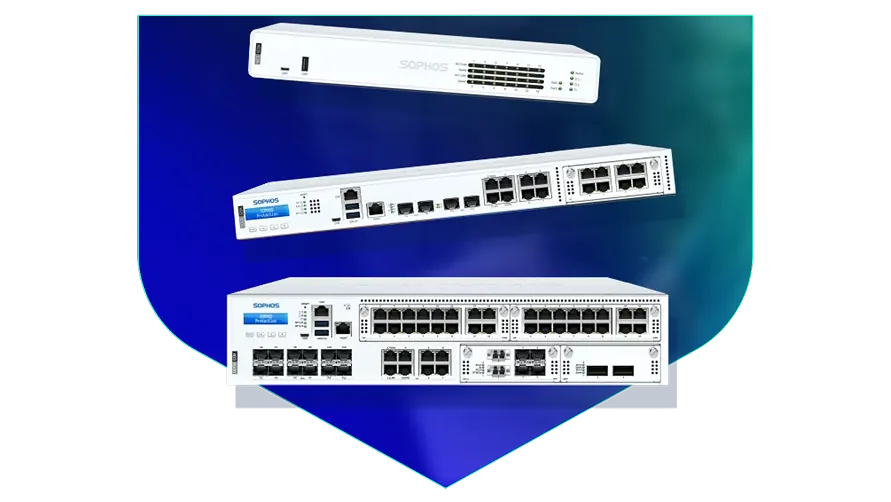
🏷️ SPECS:Scanning Without the CrawlTLS 1.3 InspectionSecond Chip for SpeedFibre Uplinks on Larger ModelsChecks Inside HTTPSProtection Stays Switched OnPorts Matched to Your BuildingHandles a Full OfficeBuilt for Busy AfternoonsBrowsing Stays FastZero-Day SandboxingBlocks RansomwareSynchronized SecurityAuto-Isolates Infected LaptopsSD-WAN FailoverAuto Line SwitchingDeep Packet InspectionOne Dashboard, All BranchesActive-Active HA ClusterStandby Unit Ready1U Rackmount ChassisDual Hot-Swap PSUFits Any RackDesktop Size ModelBypass Port PairsStays Up on FailureBranch-Size BoxModular Port BaysRuns Quiet in OfficeFront-to-Rear Airflow
A firewall with half its features switched off is not a firewall. That is what usually happens in practice: someone turns on virus scanning, the network slows to a crawl, and within a week the setting is quietly disabled again. The XGS boxes carry a separate chip for ordinary traffic, which is the whole reason the protection can stay on all the time. At Microtech Solutions we commission them with everything running, then show you the throughput figures so you know nothing was traded away.
🤝 Sophos Deployment, Migration and Handover around Seven Tanks
Every second monsoon the fibre to your branch goes down and the branch simply stops billing. Put a second, cheaper broadband line into the same SophosNext-Gen Firewall for Business Networks and it watches both, shifting traffic to the healthy one before staff notice anything (SD-WAN link steering). Voice and billing get the clean line; backups and updates take whatever is left. For a branch near Seven Tanks that used to sit idle until the line came back, that is the difference between a lost day and a slow hour.
Your guest Wi-Fi password has been on a whiteboard for two years, and the camera recorder shares a network with the accounts computer. This appliance splits one flat office network into separate lanes - staff, guests, cameras, production machines - so trouble in one lane cannot wander into another (VLAN zone policies). Visitors still get internet; they simply cannot see your servers. It is the cheapest tidy-up available to most offices and it takes an afternoon.
✅ Benefits Your Accounts Team Will Notice throughout Kolkata
You already own a Windows login system, a set of switches and possibly a Wi-Fi controller you would rather not replace. This gateway reads your existing office logins, so rules follow the person rather than whichever machine they sat at, and it drops into your current switch layout without re-cabling the floor. Nothing else has to be ripped out on day one. That is what makes a firewall change a one-evening job for most sites in Kolkata instead of a project.
A firewall that cannot be reached at nine at night is not really protecting anything. Our engineers configure and burn in each unit on our own bench before it ships, so what arrives on site already carries your rules and your addressing. If a unit fails inside warranty we arrange the replacement and put the saved configuration back on it. You get a named engineer to call, not a ticket number in a queue.
Patient Records, Imaging and Visitor Wi-Fi on One Line
A logistics operator running two warehouses outside Seven Tanks lost its dispatch system for most of a day whenever roadworks cut the fibre. Both sites now bring two lines into one appliance, and the system moves to the backup line without anyone logging in to make it happen. The most recent cut was noticed only because somebody saw the alert email. Dispatch has not stopped since the changeover.
🛡️ NETWORK SECURITY WORK, DONE PROPERLY
Support You Can Reach After Installation
Putting a next-generation firewall into a working office in Seven Tanks is mostly planning, not screwdriver work. We start by listing what actually runs on your network - Tally, the CCTV recorder, the biometric machine, the two broadband lines nobody documented - before a single rule gets written. Only then do we agree a cutover slot, usually after hours, with an agreed way back if something misbehaves.
Our engineers cover the following, across offices in and around Kolkata:
▪Firewall Supply, Setup and Commissioning
▪Branch-to-Branch and Work-from-Home VPN Setup
▪Encrypted Website Scanning and Certificate Rollout
▪Two or Three Internet Lines Used Together, Switching by Themselves (SD-WAN)
*Important: fees apply to survey visits, cutover nights and emergency call-outs. Nothing on this page forms part of a factory support entitlement.*
💡 Engineering Fact: On the larger models, two power packs share the load, and if one input dies the other takes the whole thing on instantly. In practice that input usually dies because of a tripped circuit or a wrongly pulled plug.
🔍 YEARLY SUPPORT & SPARES
Who do you call at nine at night when the gateway stops passing traffic? Ask about yearly support with a defined response time, firmware patching and a replacement unit held ready for sites across Kolkata.
📁 Product and Licence Line-Up for offices in Seven Tanks
Compare ports, speed and licence options before you decide:
Desktop Firewalls for Small Offices and Shops
Small, silent boxes that sit on a shelf and guard the internet line of a five to fifty person office. Suits clinics, showrooms, CA practices and single-branch businesses.
🔹 WHAT'S EXTRA
A bracket kit is sold separately if you later want it screwed into a rack instead of standing on a table.
🔹 PORTS
Six to eight network sockets, with a fibre slot on the bigger models for a leased line.
🔹 POWER
Draws little enough that a small office UPS carries it and the modem straight through a cut.
Rack-Mount Firewalls for Head Offices
One-rack-unit appliances for a head office, hospital or college where a few hundred people are on the network all day. Built to sit in the server cabinet you already have.
🔹 FITS
One rack unit high in a standard 19-inch cabinet, with cool air drawn in at the front and pushed out at the back.
🔹 IF IT FAILS
Two units run as a pair with one on standby, and the handover is fast enough that a video call carries on (HA cluster).
🔹 HEAT
Front-to-back cooling copes with a warm server room, though we still insist on a working AC and a clean filter.
Large Firewalls for Data Centres and Campuses
The heavy two-rack-unit units, for data centres, big campuses and companies pushing tens of thousands of connections at once. Everything that can fail is doubled up.
🔹 POWER
Two power packs come fitted as standard, and a dead one slides out and gets replaced while the rest keeps running.
🔹 FANS
Cooling modules also pull out from the front without a shutdown, which matters the night a bearing starts whining.
🔹 IF IT FAILS
Runs as a pair, and some sites run both units live so neither one sits idle (Active-Active clustering).
Easy to set up Branch Boxes (RED) for Small Sites
For the two-person sales office, the godown, the site cabin. You courier the box, somebody plugs it in, and that location joins the head office network by itself.
🔹 WHO CONTROLS IT
Every rule stays at head office. The branch cannot change a thing, which is usually the whole point.
🔹 SETUP
Nobody technical travels. The box is couriered, a local hand plugs in power and internet, and it fetches its own settings.
🔹 WHAT IT'S FOR
Very small sites - a warehouse office, a godown, a two-person branch - that still need to be on the head office network.
Managed Network Switches for the Server Room
For offices that have outgrown cheap unmanaged switches and want to see which port is causing the trouble. They also feed power to cameras, phones and access points down the same cable.
🔹 WHERE IT'S MANAGED FROM
The same cloud dashboard as the firewall, so one login covers both instead of two separate systems.
🔹 WHAT IT'S FOR
Turning one network point into eight, twenty-four or forty-eight, with a proper record of what is plugged where.
🔹 WHO IT SUITS
Schools, hotels, hospitals and factories - anywhere the camera and phone count keeps climbing.
WiFi Access Points for Offices, Schools and Warehouses
Ceiling-mounted units that give a whole floor usable WiFi instead of one router struggling from a corner. Made for buildings where dozens of devices connect at the same time.
🔹 WHERE IT'S MANAGED FROM
One cloud console shows every unit, who is connected and which one is the busiest.
🔹 GUEST WIFI
Visitors get their own name and password, on their own lane, with a login page and a daily expiry if you want one.
🔹 POWER
The network cable carries power up to the ceiling, so no electrician and no plug point above the false ceiling (PoE).
Secure Remote Access for Staff Working from Home
Lets a person open the one office application they need - from home, from a client site, from a hotel - without dropping their laptop inside your whole network.
🔹 IF A LAPTOP IS LOST
Access is cut from the dashboard in a minute. Nobody has to change the VPN password for the whole company.
🔹 RECORDS
Each session is logged by person and by application, which is normally the exact evidence an audit wants.
🔹 CONTRACTORS
A vendor can be given one server for a fixed number of days, after which the access simply stops.
Antivirus for Laptops and Servers That Talks to the Firewall
Protection on the machines themselves, wired to the firewall so the two act together. Useful for any office where staff install their own software or carry pen drives in.
🔹 IF SOMETHING GETS THROUGH
A timeline shows where it came from - the attachment, the pen drive or the website - so the same door gets shut.
🔹 REPORTING
One list of every machine, whether its updates are current, and which computer is the repeat offender.
🔹 WHAT IT REPLACES
The free antivirus that quietly expired two years ago and the paid one nobody renewed after the IT person left.
Licence Renewals and Support Subscriptions
The yearly subscription that keeps the threat updates, web filtering and support alive. This is the part most buyers forget until the day it lapses.
🔹 WHEN YOU OUTGROW IT
Ask before you renew if headcount has doubled. Sometimes a bigger unit with a fresh term works out better than renewing the old one.
🔹 IF THE HARDWARE DIES
Support levels differ in how fast a failed unit is replaced. Choose that before you need it, not on the morning you do.
🔹 WHAT IT'S FOR
Keeping virus updates, web filtering, sandbox checks and vendor support current on a firewall you already own.
✉️ Service & Maintenance Support
Need site visits, AMC contract estimates, or customized installation architecture? Connect with our technical desk directly.
📖 Common Failures and How We Fix Them around Seven Tanks
Turn reporting on from day one, even if nobody reads it for months. A log is only ever valuable in hindsight - the week you need to answer when this started and who was on that machine, a log that began yesterday is worth nothing. I set a weekly summary for the owner and a monthly detail report for whoever handles IT in Seven Tanks. It also turns out to be the easiest way to justify the renewal.
Every serious next-gen brand blocks much the same set of threats, so the choice usually turns on three practical things: the throughput figure with encrypted inspection switched on, how many sessions the model holds at your busiest hour, and whether you want depth at one large site or light boxes at many small ones. Ask each vendor for the inspected number rather than the headline one and the shortlist tends to write itself.
Buying separate boxes for web filtering, remote access and intrusion prevention leaves you with three renewal dates, three consoles and three vendors pointing at each other. One appliance with one policy list is easier to run and much easier to hand over.
💡 Engineering Fact: Every minute or so the box quietly tests each internet line by pinging a known point and timing the reply. When one line starts dropping packets, calls shift to the other before anybody in the office complains.
🧾 Feature List and Technical Detail in and around Seven Tanks
Hardware and subscription are separate line items, and it is worth knowing which is which before you sign anything. The box keeps routing traffic when a subscription lapses, but the protection updates stop - a quiet failure rather than a loud one. We put the renewal date in writing and remind you well before it arrives.
Specification sheets are written for engineers, so here is the short version. The appliance runs two kinds of processing side by side: one part moves ordinary traffic at full speed, the other does the inspection work, which is why throughput holds up once features are switched on. For an office in Seven Tanks, the figure that matters is not the headline number but the throughput with inspection running, and that is the one we quote.
🏆 CORE PARAMETER🔹 Room temperature it tolerates0°C to 40°C (32°F to 104°F)
🔹 Where it's managed fromWeb browser, command line, or the Sophos Central cloud console
💾 Log storage on boardGood for large-scale setups SSD for local reporting and audit trails
🔹 Speed with scanning onA dedicated chip does the inspection, so the drop is far smaller than on an ordinary router - we size the model against the traffic you will actually scan
🔹 Sockets on the boxgigabit copper as standard, with 2.5-gigabit copper and 10-gigabit fibre on the models that offer them - we confirm the port list against the model you order
🔹 If a laptop gets infectedFirewall isolates it on its own - Synchronized Security heartbeat
Firmware Signing and Secure Boot: Sophos Standards
Nearly everything your staff open now arrives encrypted, and a firewall that cannot look inside it is guarding a door somebody has propped open. That is the problem this range was built around: one processor does the inspecting while a second waves already-checked video, voice and cloud traffic through at full speed (dual-processor design).
Your unit will probably not live in a data centre. It may well live in a cupboard behind reception with the door shut, so the hardware assumes that: continuous-duty fans, power circuitry that tolerates a wobbly supply, and a steel case that bolts into a rack or sits on a shelf. On the rack models a second power supply makes a lost feed an annoyance rather than an outage.
✉️ SUPPORT DESK
Coordinate custom hardware configurations, AMC maintenance contracts, and site engineering visits directly with authorized integration desks.
Turnkey Next-Gen Firewall for Business Networks Metrics Checklist near Seven Tanks
🛠️ Workflow Setup
On the day, the box goes into the rack, power comes off two circuits wherever the room allows, and the internet cable moves across from the old router. The old one stays connected and ready to go back.
⚠️ Pitfalls to Avoid
Rolling out encrypted-traffic checking before the certificate has reached every computer is the fastest possible way to have the whole office declare the new firewall broken.
🔌 Guidelines & Sizing
Label every cable at both ends before the cabinet door closes. The half hour you spend now is the half hour nobody spends at midnight guessing which lead goes where.
📈 Upgrade Triggers
The firewall you have stopped getting updates a couple of years ago and the manufacturer's site now lists it as end-of-life.
🛠️ Fitting the Appliance into a Rack That Is Already Full near Seven Tanks
Everything below comes from actual site visits rather than from a manual, so treat it as the checklist your installer ought to be working through.
🔧 Site Survey & Planning - A Timeline around Seven Tanks
🔹Rack it with a gap. Leave a clear 1U above and below the appliance so hot air can escape - in the unventilated cabinets common around Seven Tanks, a unit wedged between two servers will throttle by May whatever the datasheet promises.
🔹Reserve bandwidth for the phones and for Tally or your ERP before you open general internet access; loosening a limit later is far easier than explaining choppy calls.
🔹Save yourself an argument with the routing table next year: put the LAN gateway address on a real physical port rather than inside a bridge group, because every VLAN you add later has to live with that decision.
📋 What Is Included and What Costs Extra in and around Seven Tanks
Who We Set Up For
What We Actually Do
Typical Turnaround
CA, Audit and Law Firms
Locking down the Tally and document servers, and safe remote logins for partners during filing season
Usually a same-day survey, live inside a day
Co-working Floors and Shared Offices
A network of its own for every tenant so one company cannot see another's files, plus a fair share of the line for each desk
Usually a survey within a few days, cutover on a Sunday
Garment and Engineering Exporters
Machines and office computers kept on separate networks, and a factory-to-office link that stays up
Planned around a shutdown window, often a weekend
⚡ Handling Peak Load at Month-End for businesses in Kolkata
Checked while a hundred staff browsed https sites at the same moment.
BENEFITS YOU WILL NOTICE IN ONE LIST
COMMON COMPLAINTS - THE SHORT LIST
✓The camera recorder nobody has updated since 2019 is the usual way in, so it gets fenced off from the Tally server instead of sharing a flat network with it (VLAN segmentation).
—Running BGP or OSPF routing is genuine network engineering. Budget for a competent hand on cutover day instead of treating it as a weekend experiment.
✓Branches join the head office over an encrypted tunnel, so a shared ERP behaves as if everyone sat in one building (site-to-site IPsec).
—Without a UPS, every power cut becomes an unplanned reboot. Repeat that through a monsoon week and you are risking the hardware, not just the uptime.
✓An ageing core switch and a new fibre run can both plug into the same box, so nobody is forced into replacing the switch in the same month (port mix varies by model).
—To read inside encrypted sites, a certificate has to be pushed to every company laptop first. Personal and unmanaged devices will keep throwing warnings until that is sorted.
✓You can see which application is eating the bandwidth at 3pm and cap just that one, without blocking the whole internet.
—This is not a easy to set up device. Someone has to own the rule set, review it, and clear out the rules that were added temporarily two years ago.
✓Login names come from your existing Microsoft accounts, so reports name people instead of IP addresses (Active Directory, LDAP, SAML 2.0).
—A proper 19-inch rack with front-to-back airflow is expected. A firewall balanced on a cupboard shelf runs hot and dies early.
💡 Engineering Fact: Hosting your own website or mail server means the world can knock on your door. The firewall can stand in front of it, reading each request and turning away the standard tricks attackers try first.
⚡ SYSTEM DEPLOYMENT ARCHITECTURE
Ready to secure your premises in Seven Tanks?
Get comprehensive structured network setups, professional hardware alignment, and authorized warranty support allocations natively.
In normal use you should not notice it at all. The appliance carries a second chip that handles routine traffic while the main chip does the security checks, so the scanning and the routing happen side by side rather than queueing (Xstream FastPath). Slowdowns creep in when a unit is undersized for the number of staff, or when every last rule is set to deep-scan everything. We size the box against your headcount and your line speed, and we tell you which settings cost speed before you switch them on.
Q. Someone in accounts opened a bad attachment last year. Would this have caught it?
Very likely, though no one honest says always. Unknown files arriving from outside are opened first inside a sealed test space away from your network, and if the file starts encrypting things or calling home, it never reaches the mailbox (sandboxing). What it cannot do is stop a staff member typing the company bank password into a convincing fake login page - that is staff training and two-factor login, not hardware. Think of it as removing most of the risk, not all of it.
Q. We already have antivirus on every computer - why do we need this too?
Antivirus acts once something has already landed on a machine; this stops a good deal of it further back, at the office door. It also does jobs antivirus cannot: blocking the sites that hand out malware, controlling what staff can download, and cutting an infected laptop off from everyone else. Where the two talk to each other, a red flag raised by the laptop makes the firewall separate that machine within seconds (Synchronized Security). They are layers, not alternatives.
Q. What paperwork does this give us at audit time?
Logs and reports showing who went where, what was blocked, and when someone changed a rule - which is usually what an ISO, RBI or customer security audit is really asking to see. Reports can be scheduled and mailed to a named person every month, so nobody has to remember. Bear in mind that keeping logs for a long period needs storage, either on the appliance or on a central reporting service, and that is a decision better made before the auditor arrives than after. We set the reporting up during installation.
Q. What happens if it stops working on a Sunday?
Ring the support number and we start on it the same day, usually remotely, and for most faults we can talk someone through a temporary bypass so Monday morning is not a write-off. If the hardware itself has died, replacement runs through the manufacturer warranty, and the speed of that depends entirely on which support pack you bought - a next-business-day pack and a plain return-to-base pack are very different waits. We hold common spares on the shelf, but we will not pretend a unit can be at your gate within two hours. If a few hours offline is genuinely unaffordable, the honest answer is a standby unit, not a faster courier.
💡 Engineering Fact: Fibre between two buildings works by shining a laser down glass thinner than a hair. The common short-range module reaches about 300 metres, and picking the wrong one for a longer run is the cheapest mistake in networking.
🔄 OTHER THINGS WE SET UP
What Else We Install and Look After in Seven Tanks
Bad cabling causes more slow days than any virus - our structured cabling teams redo tired Cat6 runs across Kolkata.
Look, setting up a dependable surveillance layout around the dense historical roads of Seven Tanks shouldn't involve shortcuts or low-bid component bundles that break down under seasonal monsoon drops. I have seen too many local premises suffer from blurry footage traps just because their installer failed to check core network layout constraints or sensor placement options firsthand. Standardizing your facility on a machine-tested Sophos Next-Gen Firewall for Business Networks matrix ensures your perimeter remains systematically supervised without constant manual reset loops.
We build resilient, high-uptime monitoring blueprints that prevent dropped data packets and keep your multi-channel storage partitions accessible from anywhere in Kolkata. All physical field labor, custom layout structural reviews, and custom network zoning updates run contextually on a strict professional consultation fee basis to promise absolute operational longevity.