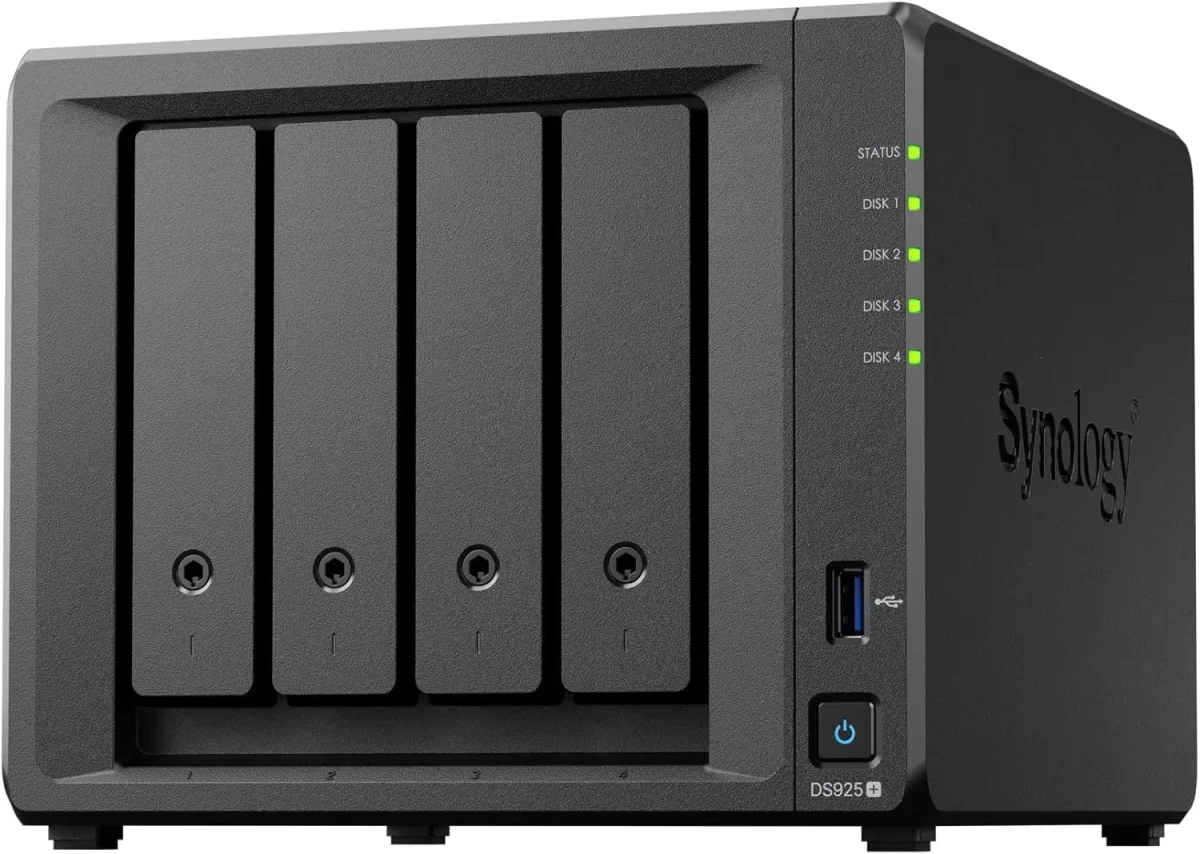
🏷️ SPECS:Btrfs File SystemImmutable SnapshotsHardware RAID 5/6/10Synology Hybrid RAID (SHR)Dual 10GbE SFP+ / RJ45Hot-Swappable SATA/SAS BaysActive Backup SuiteM.2 NVMe Cache AccelerationZero Per-User License FeesPrivate Cloud Drive SyncWORM Immutable StorageAir-Gapped Backup TargetHyper Backup to CloudSurveillance Station NVRActive Directory / LDAP SyncWindows ACL IntegrationReal-Time File VersioningCross-Office ReplicationECC Memory SubsystemDual Redundant Power Supplies4-Bay to 8-Bay Desktop Tower1U to 3U Rackmount RS-SeriesExpansion Unit ScalableEnterprise IronWolf / WD Red ProSynology HAT Enterprise DrivesSilent Fan Acoustic ModeEncrypted Shared FoldersAutomated S.M.A.R.T. ChecksSealed OEM Invoiced Units3 to 5 Year Hardware Warranty
Four branch warehouses and a head office sharing stock registers over messy email threads are an operational bottleneck waiting to cause dispatch errors. With Synology Drive and Hybrid Share, each branch runs a local NAS that synchronizes changes to the central storage hub in real time while caching frequently accessed files locally for instant offline access. When an internet line drops, local branch operations carry on without interruption, syncing back automatically the moment the line returns. We handle the complete storage provisioning, folder permissions, and branch synchronization across Ahmedabad.
📞 Synology Deployment, Migration and Handover close to Science City (Ahmedabad)
Every month someone accidentally deletes a historical quotation folder or overwrites a complex CAD layout, and the only backup is a USB drive sitting in someone's drawer from six months ago. The Synology Enterprise Network Attached Storage (NAS) includes automated, agentless backup software (Active Backup for Business) that captures bare-metal system images of every office PC, physical Windows server, and virtual machine on your local network every night. Deduplication technology ensures that common files are stored only once, saving up to 70% of storage space. For an office near Science City (Ahmedabad), that means any laptop can be restored to a new machine in an afternoon.
Your company pays monthly per-user cloud subscription fees just to store project files and back up Microsoft 365 mailboxes, and the monthly bills keep climbing as team headcount grows. An enterprise Synology Enterprise Network Attached Storage (NAS) replaces recurring cloud storage fees with an on-premise private cloud. The appliance automatically backs up all corporate Microsoft 365 or Google Workspace mailboxes, OneDrive files, and SharePoint sites locally with zero software licensing costs. Staff access their files securely from phones or home laptops over an encrypted private web portal, keeping your corporate data entirely under your control.
👍 Why Owners Stop Worrying About This close to Science City (Ahmedabad)
A storage box that lacks manufacturer hardware warranty support is a major liability. Every Synology enterprise NAS and expansion enclosure we supply carries authentic serial numbers and manufacturer warranty coverage, backed by local engineering support across Ahmedabad. If a hard drive or power module requires replacement, our local desk coordinates prompt diagnostic swaps to make sure your storage array remains protected.
Business managers do not want to parse raw command-line storage logs; they want clear visibility into storage consumption, disk health trends, and backup success rates. Synology storage management tools create clean visual dashboards that report storage pool utilization, drive temperatures, and snapshot status directly to your email on schedule. When auditors or board members request data governance proof, you have verified reports ready to present.
CA, Legal and Audit Practices: Secure Client Document Repositories in Ahmedabad
A prominent school and educational campus in Ahmedabad needed centralized, permission-controlled storage for faculty lesson plans, student administrative records, and exam databases. We deployed a Synology Enterprise Network Attached Storage (NAS) integrated with their existing area controller, setting up separate storage quotas and department shares for administration, teachers, and computer labs. Administrative staff work together securely, exam papers remain restricted to authorized department heads, and automated daily backups protect academic records.
🛡️ WHO ACTUALLY COMES TO YOUR SERVER ROOM
Rackmount Rail Fitting, UPS Signaling and Cable Standards
We expect permission adjustments and configuration questions during the first month following deployment, and we plan for them. Fine-tuning department access permissions, adding new client PCs to the automated backup schedule, or adjusting snapshot retention rules are handled promptly by our helpdesk as part of the commissioning process.
What you can hand over to our infrastructure team on a project or contract basis:
▪License-Free Microsoft 365 & Google Workspace Local Backup Setup
▪Active Backup for Business Deployment for PCs, Servers & VMs
*For clarity: Enterprise hard drives, optical transceivers, and third-party software integrations are separate line items from physical NAS enclosures.*
💡 Engineering Fact: Connecting the NAS to an online UPS via USB enables automated safe mode shutdown, flushing unwritten cache to disk and dismounting volumes before battery power depletes.
🏢 10GbE HIGH-SPEED COLLABORATION
Designers and engineers waiting on slow network file transfers in Science City (Ahmedabad)? Upgrade to a 10GbE fiber-connected Synology NAS array with NVMe SSD caching for instant file opening.
🗂️ Available Options and Typical Fit near Science City (Ahmedabad)
Compare drive bay counts, network interfaces and expansion options below:
Plus Series Desktop NAS Towers for Small Offices and Studios
Compact 4-bay to 8-bay desktop tower NAS enclosures (such as DS923+, DS1522+, DS1821+) designed for offices of ten to fifty staff needing high-speed file sharing, private cloud access, and automated backups without requiring a server rack.
🔹 ACOUSTICS & POWER
Quiet fan profiles suitable for open-plan administrative offices with low energy consumption (30W-60W).
🔹 FILE SYSTEM
Full Btrfs support delivering automated file self-healing, real-time versioning, and immutable ransomware-proof snapshots.
🔹 PRIVATE CLOUD
Synology Drive provides cross-platform file synchronization and secure remote access from any browser or mobile device.
1U Rackmount RS-Series NAS for Standard Server Cabinets
Compact 1U rackmount NAS enclosures (such as RS422+, RS822+, RS1221+) designed to fit shallow and standard 19-inch server cabinets, providing strong RAID storage and virtualization backup targets.
🔹 POWER REDUNDANCY
Available with dual redundant power supplies (RP models) that protect storage operations against power circuit trips.
🔹 VIRTUALIZATION READY
Certified iSCSI and NFS storage target for Microsoft Hyper-V, VMware vSphere, and Citrix XenServer environments.
2U High-Capacity Rackmount Storage Servers for Enterprises
High-density 2U rackmount storage servers (such as RS2423+, RS2821RP+, RS3621xs+) built for heavy multi-user concurrent access, large media archives, and high-capacity database backup repositories.
🔹 ENTERPRISE DRIVES
Certified for Synology Enterprise HAT series, Seagate IronWolf Pro, and Western Digital Ultrastar hard drives.
Large corporate headquarters, media production facilities, hospital archives, and multi-branch data consolidation hubs.
Enterprise 24/7 SAS and SATA Hard Drives and Trays
High-endurance good for large-scale setups SATA and SAS hard drives (from Seagate IronWolf Pro, WD Red Pro, and Synology HAT series) engineered for continuous 24/7 multi-bay vibration environments.
🔹 ENDURANCE RATING
Rated for 550TB/year workload rates with Mean Time Between Failures (MTBF) exceeding 2.0 to 2.5 million hours.
🔹 WARRANTY COVERAGE
Backed by 5-year manufacturer warranty coverage with data recovery rescue services on certified drive tiers.
🔹 CAPACITIES AVAILABLE
4TB, 8TB, 12TB, 16TB, 18TB, and 20TB+ enterprise hard drives supplied in genuine drive caddies with LED indicators.
M.2 NVMe SSD Cache Modules and 10GbE Network Cards
High-endurance enterprise M.2 NVMe solid-state drives for read-write cache acceleration, paired with PCIe 10GbE SFP+ fiber network adapters for wire-speed collaboration.
🔹 HIGH RANDOM IOPS
Boosts random read-write throughput up to 100,000+ IOPS, making multi-user file opening instantaneous.
🔹 ZERO DRIVE BAY LOSS
Installed in dedicated internal M.2 motherboard slots, keeping all front 3.5-inch drive bays available for storage.
🔹 WHAT IT'S FOR
Eliminating storage I/O bottlenecks and accelerating file transfers for CAD designers, database users, and video editors.
Synology High Availability (SHA) Redundant Storage Clusters
Active-Passive dual-NAS clustering that combines two identical storage servers into a single redundant cluster, providing automatic sub-minute failover if hardware fails.
🔹 AUTOMATIC FAILOVER
If the primary unit suffers a hardware, power, or network fault, the secondary unit takes over all shares in seconds.
🔹 BLOCK-LEVEL SYNC
All data writes, configuration changes, and snapshots replicate at the block level before transactions complete.
🔹 HEARTBEAT LINK
Direct high-speed network connection between units monitors hardware health, network links, and storage status continuously.
Active Backup for Business: License-Free PC, Server and M365 Backup
Complete, centralized backup software embedded in DSM that backs up all office Windows PCs, physical servers, virtual machines, and cloud mailboxes locally with zero recurring license fees.
🔹 MICROSOFT 365 BACKUP
Backs up all corporate Exchange mailboxes, OneDrive accounts, and SharePoint team sites locally on schedule.
🔹 REPORTING & ALERTS
Automated daily email summaries confirming backup job completion and flagging any disconnected laptops.
🔹 WHAT IT'S FOR
Centralizing and automating backups for all company endpoints, servers, and cloud accounts onto on-premise NAS storage.
Surveillance Station NVR Storage and Camera Licensing
Turns your Synology NAS into an good for large-scale setups Network Video Recorder supporting high-definition IP cameras, automated motion recording, and secure mobile monitoring.
🔹 FAILOVER RECORDING
Dual-NAS recording failover ensures video recording continues easily if the primary NVR unit restarts.
🔹 SURVEILLANCE DRIVES
Paired with surveillance-grade enterprise hard drives (WD Purple Pro, SkyHawk AI) rated for continuous write streams.
🔹 EDGE RECORDING SYNC
Compatible with camera SD card edge recording, automatically back-filling missed footage after network drops.
Storage AMC Contracts, Health Monitoring and Preventative Upkeep
Annual maintenance contracts providing scheduled Btrfs data scrubbing, S.M.A.R.T. Drive health analysis, snapshot verification, and emergency on-site attendance.
🔹 HANDOVER
All documentation, passwords, and access keys remain your company property throughout the contract.
🔹 WHAT IT COVERS
Scheduled preventative storage audits, Btrfs data scrubbing, DSM firmware patching, and emergency callout support.
🔹 HOT-SPARE POOL
Standby enterprise NAS hard drives, optical patch leads, and tested power adapters held ready for rapid replacement.
✉️ Service & Maintenance Support
Need site visits, AMC contract estimates, or customized installation architecture? Connect with our technical desk directly.
🛠️ Thermal Clearance, Drive Temperatures and Dust Prevention
Review these physical installation standards before fixing your storage deployment date. Getting drive seating, power signaling, and thermal clearances right upfront prevents disk drops in Science City (Ahmedabad).
🏢 User Training & Handover - A Timeline around Science City (Ahmedabad)
🔹Separate the NAS management DSM web interface to an administrative VLAN and disable the default administrator username to prevent brute-force attacks.
🔹When installing M.2 NVMe SSDs for cache acceleration, configure a read-write mirrored cache pool rather than a read-only cache for optimal database throughput.
🔹Connect the NAS management USB cable directly to an online double-conversion UPS and enable automated safe standby shutdown on low battery alerts.
📃 Capacity, Limits and Sizing Guide around Science City (Ahmedabad)
Private cloud and cross-branch synchronization capabilities allow staff to access company files securely from any browser or mobile device. Synology Drive provides real-time file versioning and on-demand synchronization, while Drive ShareSync keeps shared folders synchronized between head office and remote branch locations across Ahmedabad automatically.
Management is handled through an intuitive web-based interface (DiskStation Manager) with full Windows Active Directory and LDAP integration. User access permissions, folder quotas, storage pool health, and automated S.M.A.R.T. Disk diagnostic alerts are monitored and administered from a single screen.
Btrfs File System Integration and Secure Data Architecture: Synology
High availability clustering capabilities allow two identical storage units to be combined into an Active-Passive high-availability cluster, ensuring automated sub-minute failover of all storage services and network shares if a physical hardware fault occurs.
Backed by rigorous manufacturing standards and comprehensive multi-year hardware warranties, Synology storage solutions deliver verifiable data protection, continuous availability, and dependable performance for growing commercial enterprises.
✉️ SUPPORT DESK
Coordinate custom hardware configurations, AMC maintenance contracts, and site engineering visits directly with authorized integration desks.
☎️ Support Cover, Response Times and Visit Schedule close to Science City (Ahmedabad)
Industry Sector
Typical NAS Storage Configuration
Standard Lead Time
Manufacturing Plants & Depots
1U/2U Rackmount NAS with dual PSUs, RAID 5 enterprise drives for automated server and PC system image backups
Scheduled 5 to 7 business days
Educational Institutions & Colleges
High-capacity 12-Bay NAS hosting campus-wide faculty file shares, student records and NVR camera footage
Planned around term breaks
Corporate Head Offices
High-Availability Dual-NAS cluster with Active Backup for Microsoft 365 mailboxes and department file shares
Typically 5 to 7 business days
🔍 Handling Peak Load at Month-End close to Science City (Ahmedabad)
Evaluated across thirty concurrent client workstations accessing shared folders.
BENEFITS YOU WILL NOTICE - THE SHORT VERSION
COMMON COMPLAINTS WITHOUT THE SALES PITCH
✓Synology Drive and Drive ShareSync synchronize files across distributed branch offices automatically, providing fast local access with centralized sync.
—A business NAS requires a direct USB signaling connection to an online UPS; running without battery backup risks dirty shutdowns and volume crashes.
✓Proactive S.M.A.R.T. Disk telemetry alerts our service desk when a drive approaches error thresholds, allowing replacement before failure.
—A small 3-person office sharing basic Word files rarely requires a multi-bay 10GbE NAS; a basic cloud folder is usually enough.
✓Easy to set up without complications with Windows Active Directory and LDAP allows existing office user accounts and security permissions to map directly.
—10GbE network speeds require matching 10GbE switch ports, SFP+ optical transceivers, and Cat6A or fiber cabling across the network.
✓WORM (Write Once, Read Many) compliance shared folders prevent files from being modified or deleted during mandatory regulatory retention periods.
—Administering granular Windows ACL permissions across complex multi-department folder trees requires structured planning before rollout.
✓Hyper Backup automates secondary offsite backups to a remote NAS, external storage, or cloud repository with client-side encryption.
—Single-drive NAS models offer zero hardware fault tolerance; a minimum of a 4-bay RAID 5 configuration is required for business reliability.
💡 Engineering Fact: Error Recovery Control (ERC/TLER) firmware limits hard drive error recovery time to under seven seconds, preventing RAID controllers from dropping healthy drives during sector reads.
⚡ SYSTEM DEPLOYMENT ARCHITECTURE
Ready to secure your premises in Science City (Ahmedabad)?
Get comprehensive structured network setups, professional hardware alignment, and authorized warranty support allocations natively.
🧠 Common Failures and How We Fix Them throughout Ahmedabad
Enable automated Btrfs data scrubbing and S.M.A.R.T. Extended drive tests on a monthly schedule during non-working weekend windows. Background data scrubbing reads all data blocks, verifies checksums, and uses RAID parity to correct silent bit rot before a second drive failure can compromise the array.
Traditional Windows file servers consume significant power (300W+), require expensive Windows Server OS licenses and Client Access Licenses (CALs), and demand regular reboot windows. A dedicated Synology NAS runs on energy-efficient hardware (30W-80W) with zero client access licensing fees.
Consumer cloud-sync drives copy encrypted ransomware files straight to the cloud, overwriting good historical copies automatically. Synology immutable Btrfs snapshots freeze local historical versions with WORM compliance policies, ensuring that original unencrypted files remain recoverable.
💡 Engineering Fact: Synology Hybrid RAID (SHR) allows combining hard drives of different capacities within the same storage pool without wasting excess storage space.
⚙️ SYSTEM EVALUATION & CHECKLIST
Turnkey Enterprise Network Attached Storage (NAS) Metrics Checklist near Science City (Ahmedabad)
🛠️ Workflow Setup
Lab pre-staging: The NAS enclosure is unboxed on our Kolkata bench, enterprise hard drives are populated, and 24-hour bad sector surface scans are completed.
⚠️ Pitfalls to Avoid
Never skip the 3-2-1 backup rule; an on-premise NAS protects against disk failure, but physical building disasters still require an encrypted offsite copy.
🔌 Guidelines & Sizing
Use 100% solid bare copper Cat6A cabling for 10GbE network runs, avoiding cheap copper-clad aluminium (CCA) cables that cause packet errors.
📈 Upgrade Triggers
Your office shared folder crashed during a power cut, and recovering lost accounting files took two full working days.
Frequently Asked Questions
Q. What is Active Backup for Business and are there recurring software license fees?
Active Backup for Business is a complete backup suite built directly into the Synology operating system (DSM) that backs up all office Windows PCs, physical servers, virtual machines, and Microsoft 365 accounts automatically onto the NAS. There are zero software license fees, zero user CALs, and zero monthly subscription charges. It includes global deduplication technology that saves massive amounts of storage space.
Q. What maintenance is required to keep our NAS storage operating reliably?
Routine maintenance includes reviewing S.M.A.R.T. Hard drive health logs, scheduling quarterly Btrfs data scrubbing, inspecting UPS USB signaling, checking snapshot retention schedules, verifying backup job completion, and applying tested DSM security updates during scheduled maintenance windows.
Q. What happens if a hard drive in the NAS fails during the working day?
When configured in RAID 5, RAID 6, or RAID 10, the NAS continues serving shared files without interruption from parity data. If an active hot-spare drive is configured, the system begins rebuilding parity onto the hot-spare automatically. Our service desk receives an automated health alert, and our engineer replaces the degraded drive from the front hot-swap caddy without turning off the NAS.
Q. How does M.2 NVMe SSD cache improve file transfer speeds?
Physical hard drives excel at sequential file transfers but experience latency during random read-write access from multiple concurrent users. M.2 NVMe SSD cache modules store frequently accessed database indexes, small files, and system metadata in high-speed flash memory, reducing I/O latency to sub-millisecond levels and accelerating application response times.
Q. Why is connecting the NAS to an online UPS so critical?
Sudden power cuts during disk write operations cause dirty volume shutdowns and can degrade RAID arrays. Connecting the NAS to an online UPS via USB enables automated safe mode shutdown: when the UPS battery reaches a low threshold, the NAS safely closes open files, flushes cache, and dismounts storage pools before power exhausts.
💡 Engineering Fact: WORM (Write Once, Read Many) compliance storage volumes use hardware-enforced locking to prevent files from being modified or deleted during regulatory retention cycles.
🔄 RELATED INFRASTRUCTURE SOLUTIONS
Complementary Enterprise Systems We Deploy in Science City (Ahmedabad)
Provide fast wireless file access across your office floors with business Wi-Fi access points in Ahmedabad.
🌐 Area Profile for Buyers Planning a Rollout around Science City (Ahmedabad)
📍 Science City (Ahmedabad)
Science City is one of Ahmedabad’s most sought-after residential and commercial sectors, featuring upscale bungalow schemes, high-rise apartments, and science exhibition centers. Heavy footfall from visitors combined with premium residential living makes proactive property security a daily priority. Enterprise Network Attached Storage (NAS) by Synology offers clean, high-definition protection designed for homes and retail plazas. Bungalow owners and apartment housing committees in Science City use Enterprise Network Attached Storage (NAS) to monitor main driveways, lift lobbies, and boundary walls.
Smart motion detection pushes real-time notifications directly to your smartphone if unexpected movement occurs during off-hours. Enjoy premium more confidence in your daily security across Science City with cutting-edge surveillance. Installing Synology camera systems ensures crystal-clear visual logs, elegant aesthetics, and trusted round-the-clock safety.