🏷️ SPECS:Btrfs File SystemImmutable SnapshotsHardware RAID 5/6/10Synology Hybrid RAID (SHR)Dual 10GbE SFP+ / RJ45Hot-Swappable SATA/SAS BaysActive Backup SuiteM.2 NVMe Cache AccelerationZero Per-User License FeesPrivate Cloud Drive SyncWORM Immutable StorageAir-Gapped Backup TargetHyper Backup to CloudSurveillance Station NVRActive Directory / LDAP SyncWindows ACL IntegrationReal-Time File VersioningCross-Office ReplicationECC Memory SubsystemDual Redundant Power Supplies4-Bay to 8-Bay Desktop Tower1U to 3U Rackmount RS-SeriesExpansion Unit ScalableEnterprise IronWolf / WD Red ProSynology HAT Enterprise DrivesSilent Fan Acoustic ModeEncrypted Shared FoldersAutomated S.M.A.R.T. ChecksSealed OEM Invoiced Units3 to 5 Year Hardware Warranty
Four branch warehouses and a head office sharing stock registers over messy email threads are an operational bottleneck waiting to cause dispatch errors. With Synology Drive and Hybrid Share, each branch runs a local NAS that synchronizes changes to the central storage hub in real time while caching frequently accessed files locally for instant offline access. When an internet line drops, local branch operations carry on without interruption, syncing back automatically the moment the line returns. We handle the complete storage provisioning, folder permissions, and branch synchronization across Ahmedabad.
🗺️ Sizing, Licensing and Ordering Synology Enterprise Network Attached Storage (NAS) throughout Ahmedabad
The external compliance assessor asked for proof of historical data retention, access permission logs, and automated disaster recovery copies, and nobody could produce a verified record from the office shared drive. A Synology Enterprise Network Attached Storage (NAS) maintains in-depth access logs, encrypts shared folders with AES-256 bit hardware encryption, and automates secondary offsite backups to a remote NAS or cloud repository via Hyper Backup. Reports export directly for compliance reviews, turning an audit scramble into a simple demonstration.
Running office storage on consumer desktop hard drives means that when a drive develops bad sectors, the entire software RAID array collapses and rebuilding fails midway through. An enterprise Synology Enterprise Network Attached Storage (NAS) pairs good for large-scale setups 24/7 NAS hard drives with dedicated hot-spare drive bays and automated S.M.A.R.T. Predictive health monitoring. When a drive shows early warning signs, the system alerts our service desk and copies data to the hot-spare before the drive fails physically. You pull the degraded drive from the front caddy and slot in a replacement without turning off the storage.
⭐ Where Synology Enterprise Network Attached Storage (NAS) Earns Its Keep around Sardarnagar
Managing file permissions across four departments used to require maintaining complex Windows Server licensing and CALs. Synology DSM provides an intuitive web interface with full Windows Active Directory and LDAP area integration. Existing office user accounts and security groups map directly to shared folders, so permission inheritance and access restrictions follow organizational hierarchy easily.
Storage proposals from generic vendors often hide drive specifications, quoting consumer-grade drives that burn out under multi-user access. We provide transparent, itemized quotes specifying the exact NAS enclosure, processor tier, ECC RAM capacity, enterprise drive models with rotational vibration sensors, and warranty terms. You know precisely what endurance ratings and performance levels you are purchasing.
Ransomware-Proof Immutable Backup Targets for Windows Servers
A multi-branch diagnostic laboratory network with five centers across Ahmedabad required centralized storage to archive high-resolution medical imaging (PACS) and patient lab records generated daily. We installed a rackmount Synology Enterprise Network Attached Storage (NAS) at head office with Synology Drive ShareSync linked to compact branch NAS units. Lab reports and patient scans sync across all locations in real time, medical records remain redundant across two physical sites, and diagnostic doctors access imaging data instantly.
🛡️ LAB STAGING, SURFACE TESTING AND ENGINEERING PRACTICE
Why We Document Every Share, Permission and Policy
Data migrations are verified before production go-live, never during business hours. We copy shared folder structures with active Windows ACL permissions intact, check file integrity against the source server, and keep the legacy host ready as a fallback. For trading, legal, and manufacturing firms around Sardarnagar, that discipline prevents lost business days.
Storage solutions delivered on site across offices and studios in Ahmedabad:
▪Out-of-Hours File Server Migration & Windows ACL Permission Mapping
*Please read: We trade as an independent systems integrator. Our engineering time is billable and operates alongside Synology's official factory hardware warranty channels.*
💡 Engineering Fact: A hardware PERC-equivalent software RAID array distributes parity blocks across all drives, allowing the storage pool to survive a complete drive failure with zero data loss.
🛡️ RANSOMWARE-PROOF SNAPSHOTS
Worried about ransomware encrypting your shared folders and USB backups in Sardarnagar? We configure Synology NAS systems with Btrfs immutable snapshots and air-gapped backup policies that cannot be modified.
🛒 Full Range with Honest Comparisons near Sardarnagar
Check network throughput with 10GbE and NVMe cache - that is what matters:
Plus Series Desktop NAS Towers for Small Offices and Studios
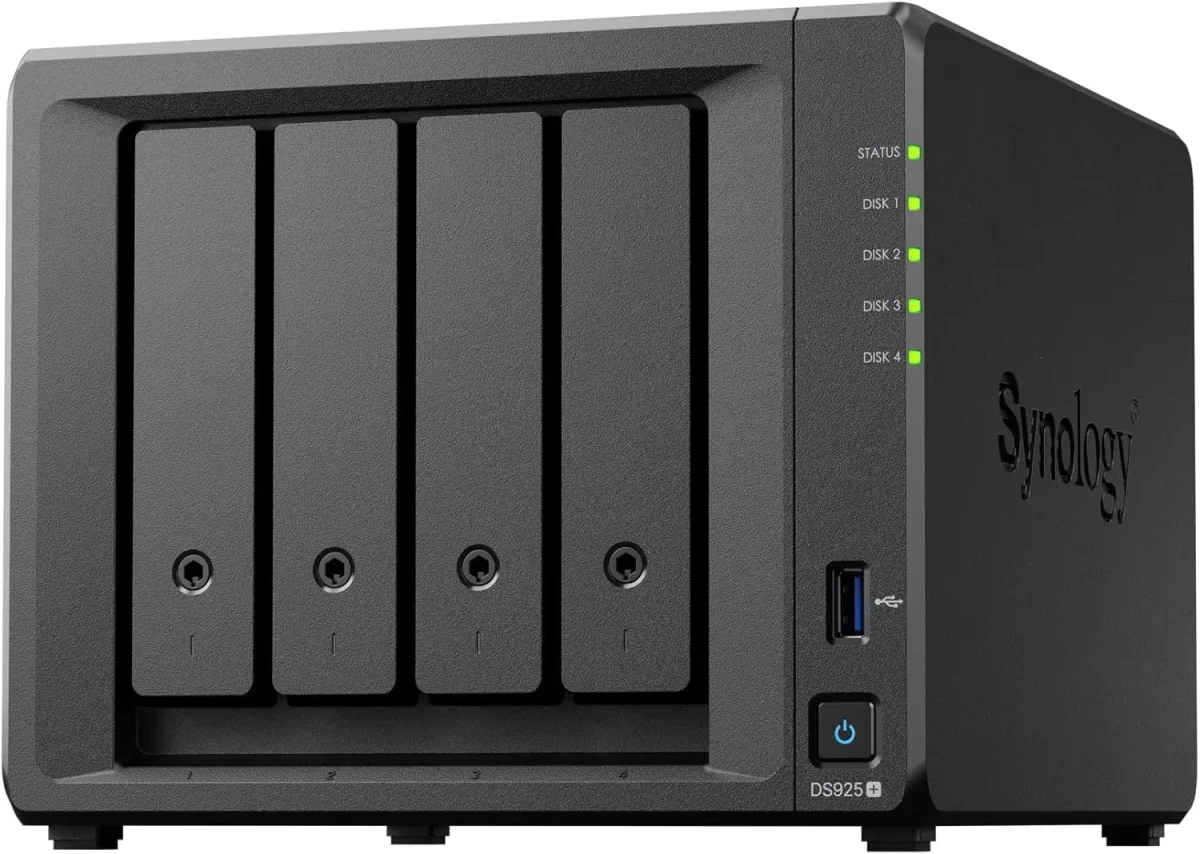
Compact 4-bay to 8-bay desktop tower NAS enclosures (such as DS923+, DS1522+, DS1821+) designed for offices of ten to fifty staff needing high-speed file sharing, private cloud access, and automated backups without requiring a server rack.
🔹 PRIVATE CLOUD
Synology Drive provides cross-platform file synchronization and secure remote access from any browser or mobile device.
🔹 WHAT IT'S FOR
Creative studios, CA firms, clinics, and commercial offices of ten to fifty staff needing centralized shared storage and automated backups.
🔹 NETWORK PORTS
Multiple 1GbE/2.5GbE RJ45 ports with link aggregation, plus optional 10GbE upgrade module slots for fast file transfers.
1U Rackmount RS-Series NAS for Standard Server Cabinets
Compact 1U rackmount NAS enclosures (such as RS422+, RS822+, RS1221+) designed to fit shallow and standard 19-inch server cabinets, providing strong RAID storage and virtualization backup targets.
🔹 Btrfs PROTECTION
Hourly immutable snapshot retention protecting shared company folders against accidental deletion and ransomware.
🔹 DRIVE CAPACITY
Four hot-pluggable 3.5-inch/2.5-inch SATA/SAS drive bays supporting hardware RAID 1, 5, 6, 10, and Synology Hybrid RAID.
🔹 VIRTUALIZATION READY
Certified iSCSI and NFS storage target for Microsoft Hyper-V, VMware vSphere, and Citrix XenServer environments.
2U High-Capacity Rackmount Storage Servers for Enterprises
High-density 2U rackmount storage servers (such as RS2423+, RS2821RP+, RS3621xs+) built for heavy multi-user concurrent access, large media archives, and high-capacity database backup repositories.
🔹 HIGH BAY DENSITY
Twelve to sixteen front hot-swap drive bays supporting multi-hundred-terabyte enterprise SAS/SATA storage pools.
🔹 ENTERPRISE DRIVES
Certified for Synology Enterprise HAT series, Seagate IronWolf Pro, and Western Digital Ultrastar hard drives.
Enterprise 24/7 SAS and SATA Hard Drives and Trays
High-endurance good for large-scale setups SATA and SAS hard drives (from Seagate IronWolf Pro, WD Red Pro, and Synology HAT series) engineered for continuous 24/7 multi-bay vibration environments.
🔹 WHAT TO AVOID
Desktop PC hard drives lack vibration damping and error recovery control, leading to premature RAID degradation.
🔹 ERROR RECOVERY
Error Recovery Control (ERC/TLER) firmware timing prevents the RAID controller from dropping healthy drives during minor sector reads.
🔹 WHAT IT'S FOR
Certified enterprise storage drives designed for 24/7 multi-user read-write duty cycles inside multi-bay NAS enclosures.
M.2 NVMe SSD Cache Modules and 10GbE Network Cards
High-endurance enterprise M.2 NVMe solid-state drives for read-write cache acceleration, paired with PCIe 10GbE SFP+ fiber network adapters for wire-speed collaboration.
🔹 ZERO DRIVE BAY LOSS
Installed in dedicated internal M.2 motherboard slots, keeping all front 3.5-inch drive bays available for storage.
🔹 NETWORK BONDING
Supports link aggregation (LACP) across dual 10GbE interfaces for combined 20Gbps network bandwidth.
🔹 ENTERPRISE ENDURANCE
High Drive Writes Per Day (DWPD) ratings designed to withstand continuous cache write workloads.
Synology High Availability (SHA) Redundant Storage Clusters
Active-Passive dual-NAS clustering that combines two identical storage servers into a single redundant cluster, providing automatic sub-minute failover if hardware fails.
🔹 AUTOMATIC FAILOVER
If the primary unit suffers a hardware, power, or network fault, the secondary unit takes over all shares in seconds.
🔹 HEARTBEAT LINK
Direct high-speed network connection between units monitors hardware health, network links, and storage status continuously.
🔹 REQUIREMENTS
Requires two identical Synology NAS models, identical drive capacities, and a dedicated direct heartbeat patch cable.
Active Backup for Business: License-Free PC, Server and M365 Backup
Complete, centralized backup software embedded in DSM that backs up all office Windows PCs, physical servers, virtual machines, and cloud mailboxes locally with zero recurring license fees.
🔹 GLOBAL DEDUPLICATION
Advanced block-level deduplication stores identical operating system and file blocks only once, saving up to 70% space.
🔹 SELF-SERVICE PORTAL
Granular recovery portal allowing users to restore accidentally deleted files without calling the IT helpdesk.
🔹 ZERO LICENSE FEES
Completely license-free with no recurring monthly per-user, per-device, or per-gigabyte subscription charges.
Surveillance Station NVR Storage and Camera Licensing
Turns your Synology NAS into an good for large-scale setups Network Video Recorder supporting high-definition IP cameras, automated motion recording, and secure mobile monitoring.
🔹 SMART SEARCH
Timeline playback and intelligent video analytics allow searching hours of footage for motion events in seconds.
🔹 EDGE RECORDING SYNC
Compatible with camera SD card edge recording, automatically back-filling missed footage after network drops.
🔹 EXPANDABLE LICENSING
Enclosures include default camera licenses and support expansion packs up to dozens of concurrent camera streams.
Storage AMC Contracts, Health Monitoring and Preventative Upkeep
Annual maintenance contracts providing scheduled Btrfs data scrubbing, S.M.A.R.T. Drive health analysis, snapshot verification, and emergency on-site attendance.
🔹 TAILORED TIERS
Available as labour-only support or comprehensive contracts including hardware components.
🔹 PREVENTATIVE VISITS
Regular physical passes - checking intake dust filters, inspecting UPS USB signaling, and updating logs.
🔹 WHAT IT COVERS
Scheduled preventative storage audits, Btrfs data scrubbing, DSM firmware patching, and emergency callout support.
✉️ Service & Maintenance Support
Need site visits, AMC contract estimates, or customized installation architecture? Connect with our technical desk directly.
📈 What the Numbers Mean for Your Office across Ahmedabad
Private cloud and cross-branch synchronization capabilities allow staff to access company files securely from any browser or mobile device. Synology Drive provides real-time file versioning and on-demand synchronization, while Drive ShareSync keeps shared folders synchronized between head office and remote branch locations across Ahmedabad automatically.
Management is handled through an intuitive web-based interface (DiskStation Manager) with full Windows Active Directory and LDAP integration. User access permissions, folder quotas, storage pool health, and automated S.M.A.R.T. Disk diagnostic alerts are monitored and administered from a single screen.
🏆 CORE PARAMETER🔹 Backup SuitesActive Backup for Business, Active Backup for M365, Hyper Backup
🔹 Surveillance SupportBuilt-in Surveillance Station NVR supporting 4K IP Cameras
🔹 Ransomware DefenseImmutable Snapshots, WORM Compliance Volumes and Versioning
Genuine Stock, Manufacturer Warranty & Traceable Serial Numbers in Sardarnagar
High availability clustering capabilities allow two identical storage units to be combined into an Active-Passive high-availability cluster, ensuring automated sub-minute failover of all storage services and network shares if a physical hardware fault occurs.
Backed by rigorous manufacturing standards and comprehensive multi-year hardware warranties, Synology storage solutions deliver verifiable data protection, continuous availability, and dependable performance for growing commercial enterprises.
✉️ SUPPORT DESK
Coordinate custom hardware configurations, AMC maintenance contracts, and site engineering visits directly with authorized integration desks.
🛠️ Power Conditioning, UPS USB Signaling and Clean Supply
Review these physical installation standards before fixing your storage deployment date. Getting drive seating, power signaling, and thermal clearances right upfront prevents disk drops in Sardarnagar.
🏢 Site Survey & Planning - Explained Simply anywhere in Ahmedabad
🔹Separate the NAS management DSM web interface to an administrative VLAN and disable the default administrator username to prevent brute-force attacks.
🔹When installing M.2 NVMe SSDs for cache acceleration, configure a read-write mirrored cache pool rather than a read-only cache for optimal database throughput.
🔹Connect the NAS management USB cable directly to an online double-conversion UPS and enable automated safe standby shutdown on low battery alerts.
⚙️ SYSTEM EVALUATION & CHECKLIST
Turnkey Enterprise Network Attached Storage (NAS) Metrics Checklist near Sardarnagar
🛠️ Workflow Setup
Lab pre-staging: The NAS enclosure is unboxed on our Kolkata bench, enterprise hard drives are populated, and 24-hour bad sector surface scans are completed.
⚠️ Pitfalls to Avoid
Never skip the 3-2-1 backup rule; an on-premise NAS protects against disk failure, but physical building disasters still require an encrypted offsite copy.
🔌 Guidelines & Sizing
Use 100% solid bare copper Cat6A cabling for 10GbE network runs, avoiding cheap copper-clad aluminium (CCA) cables that cause packet errors.
📈 Upgrade Triggers
Your office shared folder crashed during a power cut, and recovering lost accounting files took two full working days.
🔍 Questions Customers Ask Us Most for offices in Sardarnagar
Never expose the default NAS web management port (5000/5001) directly to the public internet using router port forwarding. Always place administrative management on an isolated management VLAN and require remote staff to connect via secure SSL VPN or Synology QuickConnect with mandatory two-factor authentication.
An external USB hard drive provides zero redundancy, lacks automated health monitoring, and can be dropped, stolen, or encrypted by ransomware in seconds. A Synology Enterprise Network Attached Storage (NAS) uses multi-drive hardware RAID redundancy, automated immutable snapshots, and continuous background data integrity verification.
Storing company files on a desktop PC shared folder slows down whenever the computer is used, lacks enterprise permission controls, and stops working when the user restarts Windows. A dedicated Synology NAS operates independently on enterprise hardware engineered for 24/7 multi-user file access.
💡 Engineering Fact: WORM (Write Once, Read Many) compliance storage volumes use hardware-enforced locking to prevent files from being modified or deleted during regulatory retention cycles.
🔧 Who You Call at Nine in the Evening throughout Ahmedabad
Industry Sector
Typical NAS Storage Configuration
Standard Lead Time
Graphic Design & CAD Studios
8-Bay NAS with 10GbE SFP+ fiber card, mirrored NVMe SSD cache and RAID 10 for direct multi-user project editing
Usually 3 to 5 business days
Hospitals & Diagnostic Centers
2U Rackmount NAS with multi-terabyte storage pool for 24/7 PACS medical imaging archives and lab records
Scheduled 7 to 10 business days
Corporate Head Offices
High-Availability Dual-NAS cluster with Active Backup for Microsoft 365 mailboxes and department file shares
Typically 5 to 7 business days
📈 Behaviour on a Slow Internet Line for offices in Sardarnagar
Folder synchronization speeds monitored across branch offices in and around Ahmedabad.
WHAT YOU GET FOR THE MONEY ON ONE PAGE
REAL LIMITS - WORTH READING FIRST
✓Hot-swappable front drive caddies allow technicians to replace a degraded drive in sixty seconds without turning off the storage server.
—Branch synchronization requires stable outbound internet bandwidth at all participating locations for smooth real-time file replication.
✓WORM (Write Once, Read Many) compliance shared folders prevent files from being modified or deleted during mandatory regulatory retention periods.
—RAID parity calculations and snapshot overhead reduce usable storage capacity by 20% to 35% compared to raw hard drive ratings.
✓Customizable storage quotas per user or department prevent a single employee from filling up the entire company storage pool.
—A small 3-person office sharing basic Word files rarely requires a multi-bay 10GbE NAS; a basic cloud folder is usually enough.
✓Active Backup for Microsoft 365 protects corporate mailboxes, OneDrive files, and SharePoint repositories locally with zero recurring monthly subscription costs.
—Consumer desktop hard drives should not be used in multi-bay RAID arrays; they lack rotational vibration sensors and drop offline under heavy load.
✓Surveillance Station turns the NAS into an enterprise NVR supporting dozens of IP security cameras with automated motion alerts and local storage.
—Administering granular Windows ACL permissions across complex multi-department folder trees requires structured planning before rollout.
💡 Engineering Fact: Immutable snapshots locked with compliance timers cannot be deleted or shortened even by the root administrator account until the retention period expires.
⚡ SYSTEM DEPLOYMENT ARCHITECTURE
Ready to secure your premises in Sardarnagar?
Get comprehensive structured network setups, professional hardware alignment, and authorized warranty support allocations natively.
Q. How do we connect branch offices together to share company files?
With Synology Drive ShareSync and Hybrid Share, each branch office operates a local NAS that synchronizes active shared folders with the central head office NAS automatically. Branch staff open files at high local LAN speeds, while changes synchronize in the background over encrypted internet connections.
Q. How do immutable snapshots protect our company files from ransomware?
Ransomware attacks work by encrypting local files and network shared folders. The Btrfs file system on a Synology NAS captures point-in-time snapshots of your data independently of the operating system. When configured as immutable snapshots with WORM policies, these snapshots cannot be modified, encrypted, or deleted by any user or malware. If an infection occurs, our engineers restore your entire shared folder structure to its pre-attack state in seconds.
Q. Why should our business buy a Synology NAS instead of storing files on a Windows desktop PC?
A Windows desktop PC used as a file server relies on consumer components, single-channel non-ECC RAM, and a single hard drive without hardware redundancy. When multiple users open large files simultaneously, network queues form, transactions lag, and a sudden power cut can corrupt shared files. A Synology Enterprise Network Attached Storage (NAS) is engineered for 24/7 continuous multi-user storage, featuring hardware RAID redundancy, Btrfs self-healing file systems, immutable snapshot protection, and dedicated high-speed network interfaces.
Q. Why should we procure through Microtech Solutions instead of buying an empty enclosure online?
Procuring through Microtech Solutions guarantees genuine, channel-sourced Synology hardware with official manufacturer warranty coverage. You receive expert pre-sales workload sizing, pre-tested enterprise hard drives with 24-hour lab surface testing, Btrfs immutable snapshot configuration, Active Directory integration, and ongoing local engineering support across Ahmedabad.
Q. Who owns the administrative logins, passwords, and storage maps?
You do. At project sign-off, we hand over a comprehensive documentation package containing all root administrator passwords, IP allocation maps, RAID configuration sheets, snapshot retention schedules, and warranty details. Your company maintains complete administrative ownership.
💡 Engineering Fact: Metadata self-healing on Btrfs storage volumes reads duplicate metadata blocks and uses RAID parity to automatically detect and repair silent data corruption.
🔄 RELATED INFRASTRUCTURE SOLUTIONS
Complementary Enterprise Systems We Deploy in Sardarnagar
Provide fast wireless file access across your office floors with business Wi-Fi access points in Ahmedabad.
🗺️ Where We Work and How Fast We Reach You around Sardarnagar
📍 Sardarnagar
Sardarnagar in Ahmedabad is a bustling residential and commercial locality known for its busy streets, vibrant markets, and strong community ties. It serves as a prime area for both residential homes and commercial properties. With such high foot traffic, especially near local businesses and residential buildings, it’s vital to have clear visibility of entrances, parking lots, and shared spaces.
Synology Enterprise Network Attached Storage (NAS) ensures constant monitoring, providing more confidence in your daily security to property owners and business operators alike. The area’s blend of residential homes, commercial outlets, and narrow roads means that monitoring every corner is important. Synology Enterprise Network Attached Storage (NAS) offers sharp visuals even during low-light conditions, making it ideal for tracking deliveries, visitors, and staff moving through the area at any time of day or night.
As Sardarnagar continues to grow and attract more residents and businesses, Synology Enterprise Network Attached Storage (NAS) provides an ideal surveillance solution. With its easy-to-use interface and reliable performance, residents and shop owners can make sure that their premises are always secure, making it a valuable asset for safeguarding the area.