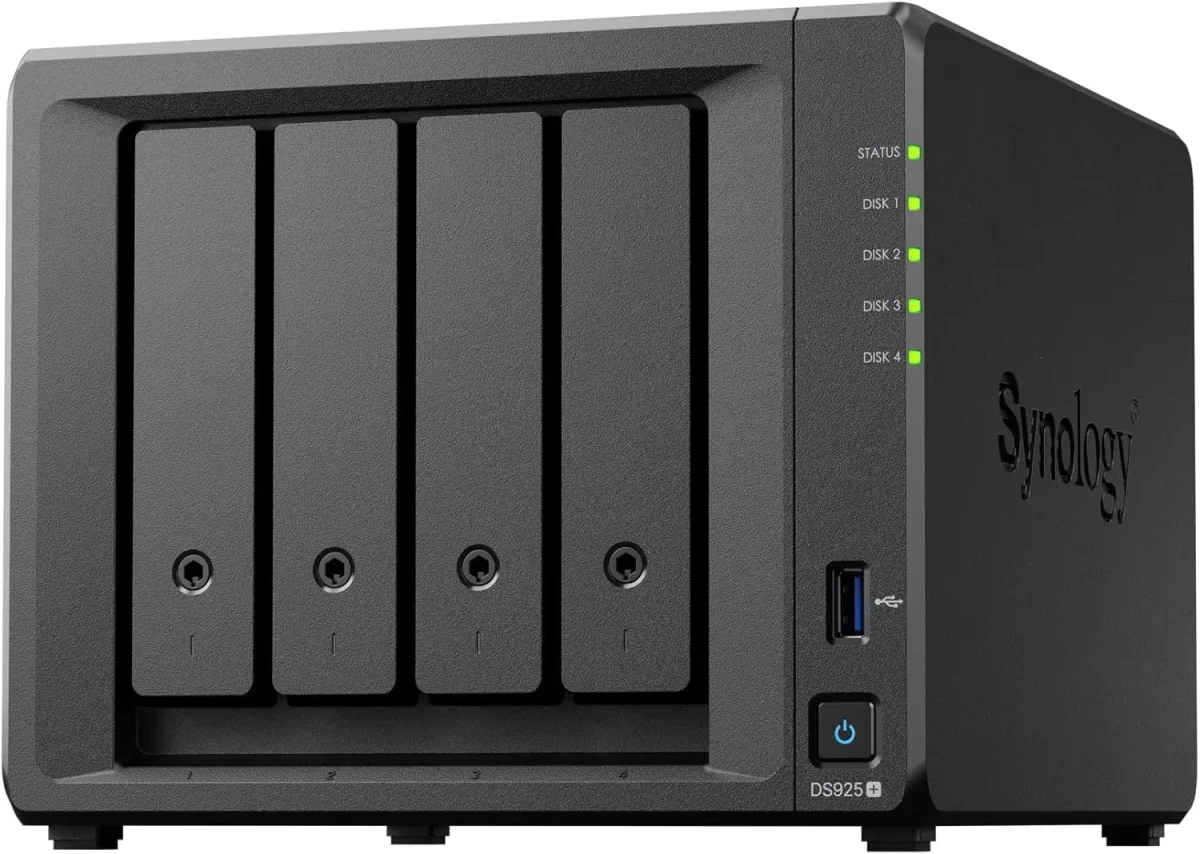
🏷️ SPECS:Btrfs File SystemImmutable SnapshotsHardware RAID 5/6/10Synology Hybrid RAID (SHR)Dual 10GbE SFP+ / RJ45Hot-Swappable SATA/SAS BaysActive Backup SuiteM.2 NVMe Cache AccelerationZero Per-User License FeesPrivate Cloud Drive SyncWORM Immutable StorageAir-Gapped Backup TargetHyper Backup to CloudSurveillance Station NVRActive Directory / LDAP SyncWindows ACL IntegrationReal-Time File VersioningCross-Office ReplicationECC Memory SubsystemDual Redundant Power Supplies4-Bay to 8-Bay Desktop Tower1U to 3U Rackmount RS-SeriesExpansion Unit ScalableEnterprise IronWolf / WD Red ProSynology HAT Enterprise DrivesSilent Fan Acoustic ModeEncrypted Shared FoldersAutomated S.M.A.R.T. ChecksSealed OEM Invoiced Units3 to 5 Year Hardware Warranty
Month-end billing and tax filing week in commercial zones around Kolkata is when unmonitored storage setups fail. An uncooled external hard drive overheating or a corrupted FAT32 partition during a sudden power trip stops the whole accounting department cold. Synology enterprise NAS storage systems feature enterprise hardware RAID 5, 6, or 10 arrays with hot-spare disk failover, backed by redundant platinum power supplies that ride through voltage drops cleanly. We install each NAS behind an online double-conversion UPS, ensuring your core files remain online and accessible 24/7.
✅ From Quotation to Go-Live with Synology anywhere in Kolkata
An aging file server running out-of-warranty Windows Server hardware sits in your rack, consuming 400 watts of power and generating constant fan noise while risking motherboard failure. Migrating to an enterprise Synology Enterprise Network Attached Storage (NAS) cuts electrical power consumption by up to 60%, consolidates your storage onto high-density hot-swappable drives, and eliminates operating system patch reboots during working hours. We copy all shared folders with active permission trees intact, test access across departments, and execute the cutover over an evening so staff notice nothing except faster file access on Monday.
Designers, video editors, and structural engineers moving multi-gigabyte media files over standard gigabit cables waste hours watching transfer progress bars crawl across their screens. A Synology Enterprise Network Attached Storage (NAS) configured with dual-port 10GbE SFP+ fiber or 10GBASE-T network cards and NVMe solid-state cache pools delivers sequential transfer speeds exceeding 1,000 MB/s. Large project files open instantly across the local network, multiple editors work together directly off shared project folders without local caching, and design deadlines in Kolkata are met without workflow bottlenecks.
🧠 What Changes in the First Month with a growing team
Business managers do not want to parse raw command-line storage logs; they want clear visibility into storage consumption, disk health trends, and backup success rates. Synology storage management tools create clean visual dashboards that report storage pool utilization, drive temperatures, and snapshot status directly to your email on schedule. When auditors or board members request data governance proof, you have verified reports ready to present.
Very few businesses keep a static data volume over time. Start with four 8TB enterprise drives in RAID 5 today, and the same Synology enclosure allows you to add additional drives to open bays or replace existing drives with higher-capacity models on the fly without deleting your shared folders or stopping office work. We design each storage rollout near Phoolbagan with expansion headroom so your investment stays scalable.
Multi-Branch Automated File Synchronization and Private Cloud
A legal advisory and corporate compliance firm near Phoolbagan required an audit-compliant, encrypted document archive that could promise file immutability for statutory retention periods. We implemented a Synology Enterprise Network Attached Storage (NAS) utilizing WORM (Write Once, Read Many) compliance storage volumes and AES-256 bit hardware-encrypted shared folders. Client contracts and compliance filings are locked against deletion or modification for mandatory seven-year retention cycles, satisfying strict regulatory audit standards.
🛡️ SNAPSHOT POLICIES, PERMISSIONS AND DATA SAFETY
How We Size Storage Honestly, Even When a Smaller Unit Fits
Storage sizing is where most business projects go wrong. We ask how much raw data you store today, how fast files accumulate annually, how many users access large media concurrently, and whether branch locations require sync - then configure the enclosure and drive tier that handles that workload with three-to-five years of expansion headroom.
Here is the storage engineering work we take on, quoted transparently before we begin:
▪License-Free Microsoft 365 & Google Workspace Local Backup Setup
▪Out-of-Hours File Server Migration & Windows ACL Permission Mapping
▪Multi-Branch File Synchronization via Synology Drive & Hybrid Share
*Notice: Rates for storage racking, RAID recovery, and backup audits are shared before work begins. We do not act as the manufacturer's internal helpdesk.*
💡 Engineering Fact: Error Recovery Control (ERC/TLER) firmware limits hard drive error recovery time to under seven seconds, preventing RAID controllers from dropping healthy drives during sector reads.
🔐 PRIVATE CLOUD & BRANCH SYNC
Need multi-branch synchronization and secure remote file access without public cloud privacy risks in Phoolbagan? We build secure private cloud storage architectures tailored to your business.
🏷️ Ranges Sorted by Office Size for first-time buyers
Scan the hardware specifications, then tell us your user count and storage needs:
Plus Series Desktop NAS Towers for Small Offices and Studios
Compact 4-bay to 8-bay desktop tower NAS enclosures (such as DS923+, DS1522+, DS1821+) designed for offices of ten to fifty staff needing high-speed file sharing, private cloud access, and automated backups without requiring a server rack.
🔹 NETWORK PORTS
Multiple 1GbE/2.5GbE RJ45 ports with link aggregation, plus optional 10GbE upgrade module slots for fast file transfers.
Supports attaching multi-bay expansion units (DX517) over eSATA when your data storage requirements grow.
1U Rackmount RS-Series NAS for Standard Server Cabinets
Compact 1U rackmount NAS enclosures (such as RS422+, RS822+, RS1221+) designed to fit shallow and standard 19-inch server cabinets, providing strong RAID storage and virtualization backup targets.
🔹 EXPANDABILITY
Connects to dedicated rackmount expansion enclosures (RX418) for adding additional drive bays easily.
🔹 Btrfs PROTECTION
Hourly immutable snapshot retention protecting shared company folders against accidental deletion and ransomware.
2U High-Capacity Rackmount Storage Servers for Enterprises
High-density 2U rackmount storage servers (such as RS2423+, RS2821RP+, RS3621xs+) built for heavy multi-user concurrent access, large media archives, and high-capacity database backup repositories.
🔹 ENTERPRISE DRIVES
Certified for Synology Enterprise HAT series, Seagate IronWolf Pro, and Western Digital Ultrastar hard drives.
🔹 HIGH BAY DENSITY
Twelve to sixteen front hot-swap drive bays supporting multi-hundred-terabyte enterprise SAS/SATA storage pools.
🔹 DUAL REDUNDANT PSUs
Dual hot-swappable 500W+ Platinum power supplies connected across separate online UPS lines.
Enterprise 24/7 SAS and SATA Hard Drives and Trays
High-endurance good for large-scale setups SATA and SAS hard drives (from Seagate IronWolf Pro, WD Red Pro, and Synology HAT series) engineered for continuous 24/7 multi-bay vibration environments.
🔹 ERROR RECOVERY
Error Recovery Control (ERC/TLER) firmware timing prevents the RAID controller from dropping healthy drives during minor sector reads.
🔹 CAPACITIES AVAILABLE
4TB, 8TB, 12TB, 16TB, 18TB, and 20TB+ enterprise hard drives supplied in genuine drive caddies with LED indicators.
🔹 ENDURANCE RATING
Rated for 550TB/year workload rates with Mean Time Between Failures (MTBF) exceeding 2.0 to 2.5 million hours.
M.2 NVMe SSD Cache Modules and 10GbE Network Cards
High-endurance enterprise M.2 NVMe solid-state drives for read-write cache acceleration, paired with PCIe 10GbE SFP+ fiber network adapters for wire-speed collaboration.
🔹 NETWORK BONDING
Supports link aggregation (LACP) across dual 10GbE interfaces for combined 20Gbps network bandwidth.
🔹 ENTERPRISE ENDURANCE
High Drive Writes Per Day (DWPD) ratings designed to withstand continuous cache write workloads.
Synology High Availability (SHA) Redundant Storage Clusters
Active-Passive dual-NAS clustering that combines two identical storage servers into a single redundant cluster, providing automatic sub-minute failover if hardware fails.
🔹 MAINTENANCE ACCESS
Allows performing DSM firmware updates and hardware servicing on one node without taking shared folders offline.
🔹 BLOCK-LEVEL SYNC
All data writes, configuration changes, and snapshots replicate at the block level before transactions complete.
🔹 HEARTBEAT LINK
Direct high-speed network connection between units monitors hardware health, network links, and storage status continuously.
Active Backup for Business: License-Free PC, Server and M365 Backup
Complete, centralized backup software embedded in DSM that backs up all office Windows PCs, physical servers, virtual machines, and cloud mailboxes locally with zero recurring license fees.
🔹 ZERO LICENSE FEES
Completely license-free with no recurring monthly per-user, per-device, or per-gigabyte subscription charges.
🔹 MICROSOFT 365 BACKUP
Backs up all corporate Exchange mailboxes, OneDrive accounts, and SharePoint team sites locally on schedule.
🔹 WHAT IT'S FOR
Centralizing and automating backups for all company endpoints, servers, and cloud accounts onto on-premise NAS storage.
Surveillance Station NVR Storage and Camera Licensing
Turns your Synology NAS into an good for large-scale setups Network Video Recorder supporting high-definition IP cameras, automated motion recording, and secure mobile monitoring.
🔹 CAMERA SUPPORT
Compatible with over 8,000 ONVIF and enterprise IP cameras (including CP Plus, Hikvision, Dahua, and Axis).
🔹 EDGE RECORDING SYNC
Compatible with camera SD card edge recording, automatically back-filling missed footage after network drops.
🔹 SECURE LIVE VIEW
Multi-screen live monitoring from web browsers, dedicated desktop client software, or iOS/Android mobile apps.
Storage AMC Contracts, Health Monitoring and Preventative Upkeep
Annual maintenance contracts providing scheduled Btrfs data scrubbing, S.M.A.R.T. Drive health analysis, snapshot verification, and emergency on-site attendance.
🔹 RESTORE DRILLS
Scheduled live restore drills validating snapshot rollbacks and bare-metal PC image restores quarterly.
🔹 PROACTIVE MONITORING
Telemetry monitoring tracking drive S.M.A.R.T. Health, pool space utilization, and backup job completion.
🔹 TAILORED TIERS
Available as labour-only support or comprehensive contracts including hardware components.
✉️ Service & Maintenance Support
Need site visits, AMC contract estimates, or customized installation architecture? Connect with our technical desk directly.
🤝 Annual Maintenance Options Side by Side for multi-branch businesses
Industry Sector
Typical NAS Storage Configuration
Standard Lead Time
Commercial Security & Facility Teams
Rackmount NAS running Surveillance Station with high-endurance surveillance hard drives for 32+ 4K IP cameras
Typically 3 to 5 business days
Educational Institutions & Colleges
High-capacity 12-Bay NAS hosting campus-wide faculty file shares, student records and NVR camera footage
Planned around term breaks
Retail Chains & Multi-Branch Networks
Central Rackmount NAS with Drive ShareSync linked to compact branch NAS units for real-time stock sheet sync
Scheduled 5 to 7 business days
🚦 Performance With Security Features Switched On in day-to-day use
Cabinet temperature and drive thermal sensors tracked across hot working afternoons.
WHAT OWNERS LIKE - FOR BUYERS
COMPROMISES TO ACCEPT - A QUICK LIST
✓Files open in seconds across the office network because the storage array manages concurrent read-write transactions on dedicated hardware.
—Synology High Availability (SHA) clustering requires purchasing two identical NAS enclosures and identical hard drive configurations.
✓Dual 10GbE SFP+ fiber and multi-gigabit network ports eliminate file transfer bottlenecks for CAD designers and video editors.
—Enterprise hard drives are sold separately from the NAS enclosure and represent a major part of the overall storage investment.
✓WORM (Write Once, Read Many) compliance shared folders prevent files from being modified or deleted during mandatory regulatory retention periods.
—Administering granular Windows ACL permissions across complex multi-department folder trees requires structured planning before rollout.
✓A failed hard drive does not stop business operations; the controller continues serving data from parity and rebuilds onto a hot-spare automatically.
—Cloud backup sync (Hyper Backup) depends on your local internet upload speed when uploading large initial baseline data sets.
✓Easy to set up without complications with Windows Active Directory and LDAP allows existing office user accounts and security permissions to map directly.
—Restoring terabytes of archived data across the network takes time, governed by physical hard drive read-write limits and network bandwidth.
💡 Engineering Fact: Dedicated M.2 NVMe SSD read-write cache pools store frequently accessed database indexes and small files in memory, delivering random I/O latency below 0.1 milliseconds.
⚡ SYSTEM DEPLOYMENT ARCHITECTURE
Ready to secure your premises in Phoolbagan?
Get comprehensive structured network setups, professional hardware alignment, and authorized warranty support allocations natively.
💡 Practical Findings After a Year in Service after years of site visits
When setting up shared folders for multiple departments, always mix the NAS with Windows Active Directory or LDAP. Managing permissions through existing area security groups prevents permission drift and ensures that when an employee leaves, revoking their area account automatically removes access to all NAS shared folders.
Shallow unmanaged desktop storage enclosures lack thermal fan management and vibration isolation, leading to drive overheating in warm server closets. Synology enterprise enclosures feature dynamic multi-fan cooling banks and vibration-damped drive trays engineered for server room environments.
Comparing storage brands comes down to file system architecture, snapshot capabilities, and backup software integration. Synology leads the enterprise market with its Btrfs self-healing file system, license-free Active Backup ecosystem, and seamless multi-branch synchronization tools.
💡 Engineering Fact: Drive ShareSync uses block-level differential synchronization, transferring only modified data blocks across branch offices rather than re-uploading entire files.
⚙️ SYSTEM EVALUATION & CHECKLIST
Turnkey Enterprise Network Attached Storage (NAS) Metrics Checklist near Phoolbagan
🛠️ Workflow Setup
Data migration: Shared files are copied from legacy servers over a scheduled evening window, verifying file integrity and security permissions before go-live.
⚠️ Pitfalls to Avoid
Do not expose default DSM web management ports directly to the public internet using router port forwarding; always enforce VPN access or 2FA.
🔌 Guidelines & Sizing
Procure storage hardware through authorized partner distribution channels to make sure authentic manufacturer serial numbers and active warranty support.
📈 Upgrade Triggers
An auditor or major client has requested written evidence of automated backups, disaster recovery procedures, and immutable retention.
🛠️ Synology NAS Deployment Checklist for Systems Engineers in Kolkata
Spend forty extra minutes on sliding rail alignment, network interface bonding, and snapshot scheduling during deployment to secure years of quiet, reliable data protection.
⚙️ Data Migration & Cutover - What We Do in and around Phoolbagan
🔹Schedule automated snapshots to run hourly during business hours, retaining 24 hourly, 7 daily, and 4 weekly snapshots for fast accidental-deletion recovery.
🔹Always populate NAS storage pools with enterprise-certified 24/7 hard drives (IronWolf Pro, WD Red Pro, or Synology Enterprise) rather than consumer desktop drives.
🔹Assign static IP addresses to bonded network interfaces and configure LACP IEEE 802.3ad link aggregation on the connecting managed switch for redundancy.
📋 Key Figures Every Buyer Should Check for small teams
Drive architecture is engineered for hardware fault tolerance. Multi-bay enclosures support hot-swappable enterprise SAS and SATA hard drives organized into RAID 1, 5, 6, 10, or Synology Hybrid RAID (SHR) arrays with active hot-spare support. A hard drive failure does not interrupt business operations - the storage pool continues serving files from parity while rebuilding onto a replacement disk in the background.
The Btrfs file system provides good for large-scale setups data protection. Advanced copy-on-write technology generates lightweight point-in-time snapshots every hour, creating immutable historical versions of your shared folders that cannot be modified by ransomware. Built-in metadata self-healing detects and corrects silent data corruption automatically, ensuring files remain readable years after creation.
🏠 File System ArchitectureBtrfs with Self-Healing Metadata and Ext4 Support
🔹 Drive Form FactorsHot-Swappable 3.5-inch and 2.5-inch SAS/SATA Enterprise HDDs and SSDs
🔹 Hardware RedundancyDual Hot-Swappable Platinum Power Supplies (Rackmount Models)
🔹 Ransomware DefenseImmutable Snapshots, WORM Compliance Volumes and Versioning
🔹 Backup SuitesActive Backup for Business, Active Backup for M365, Hyper Backup
Built for Continuous 24/7 Data Access, Not Intermittent Use
The award-winning DiskStation Manager (DSM) operating system provides an enterprise-ready management platform. From centralized user access control and Windows Active Directory integration to real-time storage telemetry and automated health reporting, administrators keep complete operational oversight from any modern web browser.
Comprehensive backup suites embedded in the platform deliver turnkey business continuity. Active Backup for Business, Active Backup for Microsoft 365, and Hyper Backup provide automated, deduplicated protection across endpoints, physical servers, virtual machines, and cloud SaaS applications without requiring third-party software licenses.
✉️ SUPPORT DESK
Coordinate custom hardware configurations, AMC maintenance contracts, and site engineering visits directly with authorized integration desks.
Q. How do we back up the NAS data itself to make sure disaster recovery?
Using Hyper Backup, the NAS automatically encrypts and replicates shared folders, system configurations, and applications to an external hard drive, a secondary offsite NAS, or secure cloud storage vaults on an automated schedule.
Q. Why should we procure through Microtech Solutions instead of buying an empty enclosure online?
Procuring through Microtech Solutions guarantees genuine, channel-sourced Synology hardware with official manufacturer warranty coverage. You receive expert pre-sales workload sizing, pre-tested enterprise hard drives with 24-hour lab surface testing, Btrfs immutable snapshot configuration, Active Directory integration, and ongoing local engineering support across Kolkata.
Q. Why is connecting the NAS to an online UPS so critical?
Sudden power cuts during disk write operations cause dirty volume shutdowns and can degrade RAID arrays. Connecting the NAS to an online UPS via USB enables automated safe mode shutdown: when the UPS battery reaches a low threshold, the NAS safely closes open files, flushes cache, and dismounts storage pools before power exhausts.
Q. What is Synology High Availability (SHA) and when is it required?
Synology High Availability clusters two identical NAS units over a dedicated heartbeat cable into an Active-Passive cluster. The active unit serves data while the passive unit mirrors data in real time. If the active unit suffers a hardware fault, the passive unit takes over all shared folders within seconds, ensuring zero business downtime.
Q. Can the NAS also be used to record our office IP security cameras?
Yes. Synology Surveillance Station is an enterprise NVR application built into DSM that supports over 8,000 IP camera models. It records continuous or motion-triggered video streams directly to dedicated storage pools on the NAS with multi-screen live viewing and mobile app access.
💡 Engineering Fact: Air-gapped secondary backups created via Hyper Backup can be disconnected physically or replicated to immutable cloud vaults to promise ransomware isolation.
🔄 RELATED INFRASTRUCTURE SOLUTIONS
Complementary Enterprise Systems We Deploy in Phoolbagan
make sure continuous offsite disaster recovery by replicating your NAS data to immutable cloud vaults in Kolkata.
📌 Landmarks and Routes Our Engineers Know in and around Phoolbagan
📍 Phoolbagan
Phoolbagan in Kolkata is a popular residential area, known for its tranquil atmosphere and close-knit community. However, with its proximity to commercial areas like Lake Town and Kankurgachi, the security of both homes and businesses can be a concern. Enterprise Network Attached Storage (NAS) from Synology ensures that your property stays safe by providing comprehensive surveillance of entrances, parking areas, and vulnerable points.
The area is constantly buzzing with activity, whether it’s people visiting the local shops or residents going about their daily routines. Enterprise Network Attached Storage (NAS) makes it easy to keep track of what’s happening around you, with its wide-angle lens and crystal-clear video feed. This way, whether you’re home or out, your property is always under watch.
For anyone in Phoolbagan, installing Enterprise Network Attached Storage (NAS) gives you the more confidence in your daily security you need, ensuring that your property remains secure in a lively, ever-changing neighborhood.