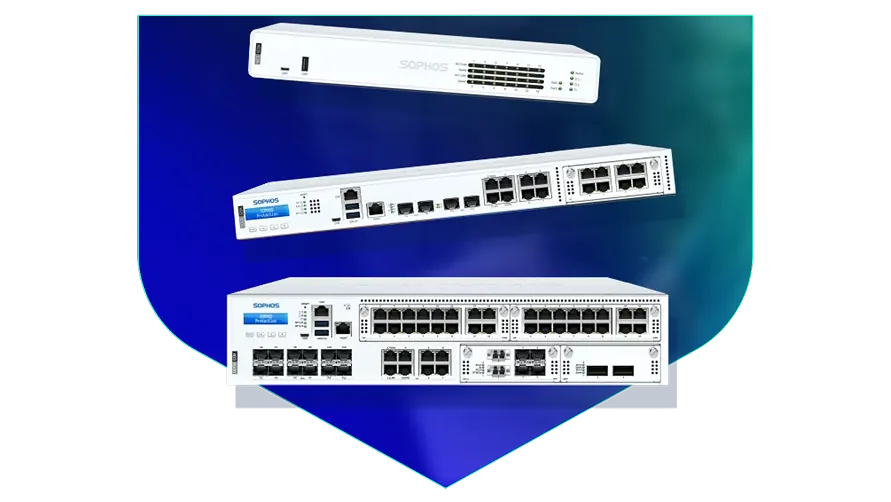
🏷️ SPECS:Scanning Without the CrawlTLS 1.3 InspectionSecond Chip for SpeedFibre Uplinks on Larger ModelsChecks Inside HTTPSProtection Stays Switched OnPorts Matched to Your BuildingHandles a Full OfficeBuilt for Busy AfternoonsBrowsing Stays FastZero-Day SandboxingBlocks RansomwareSynchronized SecurityAuto-Isolates Infected LaptopsSD-WAN FailoverAuto Line SwitchingDeep Packet InspectionOne Dashboard, All BranchesActive-Active HA ClusterStandby Unit Ready1U Rackmount ChassisDual Hot-Swap PSUFits Any RackDesktop Size ModelBypass Port PairsStays Up on FailureBranch-Size BoxModular Port BaysRuns Quiet in OfficeFront-to-Rear Airflow
Five branches, five separate internet bills, and no single place to see what any of them is doing. That is the state most growing retail and clinic chains are in by the time they ring us. Once every site runs a firewall from the same family, the branches join into one private network over the internet and you watch the lot from a single screen. A new shop then takes an afternoon to bring online instead of a week, and we handle the sizing, the licences and the on-site commissioning across Kolkata.
📍 From Quotation to Go-Live with Sophos across Kolkata
An unsupported firewall is a locked door whose key everyone has already copied - from the outside it still looks fine. Moving to a current SophosNext-Gen Firewall for Business Networks puts you back on supported firmware, live protection updates and a warranty you can actually claim. We copy your existing rules across, remove the dead ones, and do the switch in the evening so the morning shift finds nothing changed. Offices across Kolkata usually get a rule-by-rule handover document before the old unit leaves the rack.
When two hundred students discover the same streaming site, the exam portal is the first thing to suffer. Application-aware rules let you cap entertainment traffic and hold back a fixed slice of the line for the things that matter - exams, fee payments, the office. Staff and student networks stay apart, each with its own filtering profile. Schools and colleges in Kolkata run all of this on a single SophosNext-Gen Firewall for Business Networks without needing a full-time network person.
💡 The Case for Doing It Properly Once across Kolkata
Some businesses can lose an hour. A dispatch desk, a hospital front office or a trading room cannot. Two units can be paired so the standby picks up the live sessions the instant the first one stops, fast enough that a call in progress stays up (Active-Passive HA). Most customers start with one unit and add the second at the next budget cycle, and the pairing is designed to be added later.
Running four branches used to mean four different people making four different mistakes. Every unit reports into one console, so you push the same rules everywhere, see which branch has which problem, and update firmware overnight from your own desk. A new site can be sent the box, plugged into power and internet by anyone on site, and configured remotely. Retail chains and diagnostic labs spread across Kolkata are the usual beneficiaries.
Keeping Four Branches on the Same Rules across Kolkata
A school with roughly nine hundred students found its online exam portal timing out every afternoon, which turned out to be a hostel's worth of video streaming on the same line. We deployed a SophosNext-Gen Firewall for Business Networks with separate staff, student and guest networks, and capped entertainment traffic during school hours only. The very next assessment week finished on time. The IT teacher now changes the rules himself from a browser rather than phoning anyone.
🛡️ HOW WE WORK ON SITE
How We Set Up and Hand Over a Firewall
Rules are tested before they go live, not after. Where the site allows it we run the new policy alongside the old gateway, watch what breaks inside a controlled window, and keep the previous configuration exported so a rollback takes minutes. For manufacturing units around Michael Nagar, where a stopped line costs real money, that rehearsal is not optional.
Typical assignments, from a first install to a 2am hardware swap:
▪Separate Lanes for Guest WiFi, CCTV and Accounts (VLANs)
▪Firewall Supply, Setup and Commissioning
▪Out-of-Hours Switchover from Your Old Firewall
▪Encrypted Website Scanning and Certificate Rollout
*Note: every site visit, configuration change and troubleshooting session listed here is a paid service, quoted in advance, and separate from any support you receive directly from the manufacturer.*
💡 Engineering Fact: Fibre between two buildings works by shining a laser down glass thinner than a hair. The common short-range module reaches about 300 metres, and picking the wrong one for a longer run is the cheapest mistake in networking.
📋 FIREWALL SIZING
Not sure which model suits an office of your size in Michael Nagar? Send us your user count and internet speed and we will come back with a size, a price, and the reasoning behind both.
📦 Full Range with Honest Comparisons near Michael Nagar
Scan the hardware details, then tell us your user count and line speed:
Desktop Firewalls for Small Offices and Shops
Small, silent boxes that sit on a shelf and guard the internet line of a five to fifty person office. Suits clinics, showrooms, CA practices and single-branch businesses.
🔹 SIZE
About as big as a thick hardback book, so it fits on a shelf or inside a small wall cabinet.
🔹 NOISE
No fan inside. It can live in a reception area or a director's cabin and nobody hears it.
🔹 TWO INTERNET LINES
Keep fibre and a broadband backup plugged in together; when one drops, the switch across happens on its own (SD-WAN).
Rack-Mount Firewalls for Head Offices
One-rack-unit appliances for a head office, hospital or college where a few hundred people are on the network all day. Built to sit in the server cabinet you already have.
🔹 IF IT FAILS
Two units run as a pair with one on standby, and the handover is fast enough that a video call carries on (HA cluster).
🔹 ROOM TO GROW
A slot on the front accepts an add-on module - more copper ports, faster ones, or fibre - when the network expands (Flexi Port).
🔹 FIBRE PORTS
Ten-gigabit fibre sockets go straight into your core switch with no converter box in the middle (SFP+).
Large Firewalls for Data Centres and Campuses
The heavy two-rack-unit units, for data centres, big campuses and companies pushing tens of thousands of connections at once. Everything that can fail is doubled up.
🔹 POWER
Two power packs come fitted as standard, and a dead one slides out and gets replaced while the rest keeps running.
🔹 IF IT FAILS
Runs as a pair, and some sites run both units live so neither one sits idle (Active-Active clustering).
🔹 BUSY NETWORKS
Sized for the case where thousands of people, cameras and machines all hold connections open at the same moment.
Easy to set up Branch Boxes (RED) for Small Sites
For the two-person sales office, the godown, the site cabin. You courier the box, somebody plugs it in, and that location joins the head office network by itself.
🔹 WHAT IT'S FOR
Very small sites - a warehouse office, a godown, a two-person branch - that still need to be on the head office network.
🔹 WHAT IT IS NOT
This is not a standalone firewall. It leans on the main appliance, so budget for both together.
🔹 BACKUP LINE
A second connection, including a 4G or 5G dongle, can be attached where the local broadband is unreliable.
Managed Network Switches for the Server Room
For offices that have outgrown cheap unmanaged switches and want to see which port is causing the trouble. They also feed power to cameras, phones and access points down the same cable.
🔹 WHERE IT'S MANAGED FROM
The same cloud dashboard as the firewall, so one login covers both instead of two separate systems.
🔹 IF A PORT MISBEHAVES
You can spot the guilty port and shut it from the screen, instead of unplugging cables one at a time.
🔹 IF SOMEONE MAKES A LOOP
Plugging both ends of one cable into the same switch normally floods the whole office; the switch spots it and shuts that port.
WiFi Access Points for Offices, Schools and Warehouses
Ceiling-mounted units that give a whole floor usable WiFi instead of one router struggling from a corner. Made for buildings where dozens of devices connect at the same time.
🔹 WHAT IT'S FOR
WiFi that holds up when twenty phones and laptops crowd into one meeting room.
🔹 POWER
The network cable carries power up to the ceiling, so no electrician and no plug point above the false ceiling (PoE).
🔹 GUEST WIFI
Visitors get their own name and password, on their own lane, with a login page and a daily expiry if you want one.
Secure Remote Access for Staff Working from Home
Lets a person open the one office application they need - from home, from a client site, from a hotel - without dropping their laptop inside your whole network.
🔹 WHAT THE USER DOES
Signs in with the usual office email and password, plus a code on the phone as a second step.
🔹 HOW IT DIFFERS FROM A VPN
An old-style VPN puts the laptop inside everything. This opens only the application that person is allowed to touch (ZTNA).
🔹 CONTRACTORS
A vendor can be given one server for a fixed number of days, after which the access simply stops.
Antivirus for Laptops and Servers That Talks to the Firewall
Protection on the machines themselves, wired to the firewall so the two act together. Useful for any office where staff install their own software or carry pen drives in.
🔹 SERVERS
The Tally server, ERP box and file server get settings tuned so the month-end run does not slow to a crawl.
🔹 RANSOMWARE
It watches for a program that suddenly starts encrypting files, stops it, and puts the changed files back.
🔹 WHAT IT'S FOR
Guarding the laptops, desktops and servers themselves, rather than only the door they sit behind.
Licence Renewals and Support Subscriptions
The yearly subscription that keeps the threat updates, web filtering and support alive. This is the part most buyers forget until the day it lapses.
🔹 WHAT PEOPLE REGRET
Letting it run dry for a couple of months to save money, then paying for reinstatement plus the clean-up afterwards.
🔹 BUNDLES
One combined subscription covers most of the protection at a better rate than buying the modules one by one.
🔹 AUDITS
An auditor checking your security controls will ask for proof the subscription is live. A lapsed one is a finding.
✉️ Service & Maintenance Support
Need site visits, AMC contract estimates, or customized installation architecture? Connect with our technical desk directly.
📝 Practical Findings After a Year in Service across Kolkata
Pushing the inspection certificate to company laptops is straightforward; personal phones are where it gets untidy. My advice is to keep personal and guest devices on a network where encrypted inspection is off but category filtering is on. You get most of the benefit and none of the certificate-warning support calls. Save full inspection for machines the company actually owns.
An internet provider's optional security add-on filters at their end, on their terms, with no report you can put in front of an auditor and little control over what is allowed for whom. Owning the box means owning the rules and the logs.
Compared with leaving remote staff on shared passwords and an open remote-desktop port, giving each person an encrypted tunnel with a second login check removes the single most common way small companies get broken into.
💡 Engineering Fact: Between the firewall and the switch, a short direct-attach cable beats a copper 10-gigabit port on all three counts: it costs less, adds almost no delay, and runs far cooler in a crowded cabinet.
🛠️ Where the Box Should Actually Sit: Rack and Room Notes for Michael Nagar
Read these before the cutover date is fixed. Most of them are far cheaper to get right now than to fix later with a rack full of live cables in Michael Nagar.
🏢 Installation & Setup - What We Do in and around Michael Nagar
🔹Clean fibre ends with an optical pen before seating them in SFP+ slots. Most links that flap every few minutes on dusty sites near Michael Nagar are carrying a speck of dust, not a faulty module.
🔹Before switching on inspection of encrypted sites, push the firewall's certificate out to every company computer through Group Policy. Do that first and you save yourself a morning of browser warnings.
🔹Rack it with a gap. Leave a clear 1U above and below the appliance so hot air can escape - in the unventilated cabinets common around Michael Nagar, a unit wedged between two servers will throttle by May whatever the datasheet promises.
⚙️ SYSTEM EVALUATION & CHECKLIST
Turnkey Next-Gen Firewall for Business Networks Metrics Checklist near Michael Nagar
🛠️ Workflow Setup
The unit is built and tested on our bench before it ships, with your rules, users and branch links already in it, so what arrives is shaped like your business rather than the factory default.
⚠️ Pitfalls to Avoid
Skipping the MTU check on a new leased line produces a fault that shows only on big files and only over the branch link, which is days of blame before anyone finds it.
🔌 Guidelines & Sizing
Leave a blank vented panel above and below a rack unit. Heat is what actually kills these boxes through an Indian summer, far more often than the electronics failing on their own.
📈 Upgrade Triggers
You bought a second internet line for backup, and switching to it still means a person crawling under a desk to move a cable while everyone waits.
🛠️ What Is Included and What Costs Extra across Kolkata
Who We Set Up For
What We Actually Do
Typical Turnaround
Diagnostic Labs and Small Hospitals
Patient records fenced off from front-desk computers, and doctors logging in from home without opening the whole network
Priority attendance, usually the same working day
Co-working Floors and Shared Offices
A network of its own for every tenant so one company cannot see another's files, plus a fair share of the line for each desk
Usually a survey within a few days, cutover on a Sunday
Garment and Engineering Exporters
Machines and office computers kept on separate networks, and a factory-to-office link that stays up
Planned around a shutdown window, often a weekend
📊 Performance With Security Features Switched On across Kolkata
Tunnel speed and delay recorded between two branch offices in and around Kolkata.
WHAT OWNERS LIKE - THE HIGHLIGHTS
COMPROMISES TO ACCEPT - THE HONEST VERSION
✓An ageing core switch and a new fibre run can both plug into the same box, so nobody is forced into replacing the switch in the same month (port mix varies by model).
—The browser-based remote access screen leans on the user's own laptop and connection. On an old machine over patchy mobile data it feels sluggish.
✓Login names come from your existing Microsoft accounts, so reports name people instead of IP addresses (Active Directory, LDAP, SAML 2.0).
—Running BGP or OSPF routing is genuine network engineering. Budget for a competent hand on cutover day instead of treating it as a weekend experiment.
✓You can see which application is eating the bandwidth at 3pm and cap just that one, without blocking the whole internet.
—The sandbox, web filtering and threat feeds are subscription items. When the term ends those checks stop, and renewal is a real line in next year's budget.
✓The Saturday-night infection that used to reach eight machines by Monday gets stopped at the first one, with nobody in the building (Synchronized Security heartbeat).
—Encrypted scanning costs throughput. Size the box for the traffic you intend to inspect, not the headline number on the brochure, or users will feel it.
✓The steel case is shaped to pull air front to back, which is what keeps the unit alive in a warm, dusty cabinet.
—Firmware updates drop sessions briefly. On a single unit that means a late-night window agreed with the people who actually work late.
💡 Engineering Fact: A firewall remembers conversations, not just packets. Because it noted your request going out, the reply is allowed back in - and a packet claiming to answer a question nobody asked is dropped without ceremony.
⚡ SYSTEM DEPLOYMENT ARCHITECTURE
Ready to secure your premises in Michael Nagar?
Get comprehensive structured network setups, professional hardware alignment, and authorized warranty support allocations natively.
📊 What the Numbers Mean for Your Office for offices in Michael Nagar
Day-to-day management is a browser page, and the same page exists in the cloud for anyone running more than one site. Reports can be scheduled by email - heaviest users, blocked threats, which application is eating the line. Configuration backups run automatically and can be sent off-site, which is exactly what you will want on the day a unit has to be changed in Kolkata.
The family runs from small desktop units for one office up to rack appliances built for a head office of several hundred people and multiple internet lines. The operating system is the same across the range, so what your team learns on a small unit still applies on a large one. Growing is a change of model, not a change of habits.
🏆 CORE PARAMETER🔹 If the main unit failsStandby takes over - Active-Passive or Active-Active HA cluster
🔹 Sockets on the boxgigabit copper as standard, with 2.5-gigabit copper and 10-gigabit fibre on the models that offer them - we confirm the port list against the model you order
🔹 Joining your branchesSite-to-site IPsec, SSL VPN and plug-in RED devices
🔹 Speed with scanning onA dedicated chip does the inspection, so the drop is far smaller than on an ordinary router - we size the model against the traffic you will actually scan
💾 Log storage on boardGood for large-scale setups SSD for local reporting and audit trails
🔹 Unknown attachmentsOpened in a cloud sandbox before they reach a user
Working from home is treated as normal here rather than something bolted on later. Your staff get an encrypted tunnel of their own, or browser-only access to a single application, with a second check at login - so the same rules apply whether somebody is at a desk or at a kitchen table (multi-factor remote access).
If you pay for two internet connections, both should be earning their keep. Each one is measured continuously for loss, delay and wobble, and sessions move between them according to rules you set, so voice and billing get the healthy one. Branch tunnels rebuild themselves after a cut is repaired, with nobody logging in (SD-WAN).
✉️ SUPPORT DESK
Coordinate custom hardware configurations, AMC maintenance contracts, and site engineering visits directly with authorized integration desks.
Ring the support number and we start on it the same day, usually remotely, and for most faults we can talk someone through a temporary bypass so Monday morning is not a write-off. If the hardware itself has died, replacement runs through the manufacturer warranty, and the speed of that depends entirely on which support pack you bought - a next-business-day pack and a plain return-to-base pack are very different waits. We hold common spares on the shelf, but we will not pretend a unit can be at your gate within two hours. If a few hours offline is genuinely unaffordable, the honest answer is a standby unit, not a faster courier.
Q. Can we block YouTube for some staff but not others?
Yes, because rules follow the person rather than the machine. The firewall reads your office login system, so it knows who is sitting there and applies their rules to whichever desk they use (Active Directory or SAML sign-on). Marketing keeps YouTube, the shop floor does not, and a shared computer behaves correctly for each person. You can also cap instead of block - give streaming a thin slice of bandwidth and protect the rest for work.
Q. How are firmware updates done without taking the office offline?
New firmware installs onto a spare partition and the unit switches over on reboot, so a bad update rolls back to the previous version instead of leaving you stranded. Where a standby pair is running, we update the quiet unit first, move traffic onto it, then update the other, and nobody upstairs notices. On a single unit there is one reboot, a few minutes, which we schedule outside working hours. We also do not push a brand-new release the week it appears - it is allowed to settle first.
Q. Is one enough, or do we need two?
One is enough for most offices. Two is worth it when a few hours offline would genuinely cost money or safety - a production line, a hospital, a call centre, a trading desk. The second unit sits quiet and takes over inside a second when the first one fails, so nobody on a call notices anything (Active-Passive HA). It roughly doubles the hardware spend, so do the sum honestly: what does one lost day actually cost you?
Q. Someone in accounts opened a bad attachment last year. Would this have caught it?
Very likely, though no one honest says always. Unknown files arriving from outside are opened first inside a sealed test space away from your network, and if the file starts encrypting things or calling home, it never reaches the mailbox (sandboxing). What it cannot do is stop a staff member typing the company bank password into a convincing fake login page - that is staff training and two-factor login, not hardware. Think of it as removing most of the risk, not all of it.
💡 Engineering Fact: Hosting your own website or mail server means the world can knock on your door. The firewall can stand in front of it, reading each request and turning away the standard tricks attackers try first.
🔄 OTHER THINGS WE SET UP
What Else We Install and Look After in Michael Nagar
Mail and Office licences make up the other half of most quotes we send, so we handle Microsoft 365 setup and migrations too.
📍 Where We Work and How Fast We Reach You around Michael Nagar
📍 Michael Nagar
Michael Nagar in Kolkata is a calm and growing residential area with local markets, schools, and community parks. People experience regular movement of students, delivery staff, workers, and visitors. Installing Sophos Next-Gen Firewall for Business Networks helps households keep visibility around gates, staircases, and open spaces. The area includes multiple internal lanes and extended residential pockets.
Homes deeper inside these lanes often require dependable visibility to track movement easily. With Sophos Next-Gen Firewall for Business Networks, families benefit from wide coverage and reliable low-light clarity. As Michael Nagar expands with new housing and improved connectivity, having a stable surveillance solution adds everyday comfort. Sophos Next-Gen Firewall for Business Networks supports round-the-clock monitoring and remote access for seamless protection.