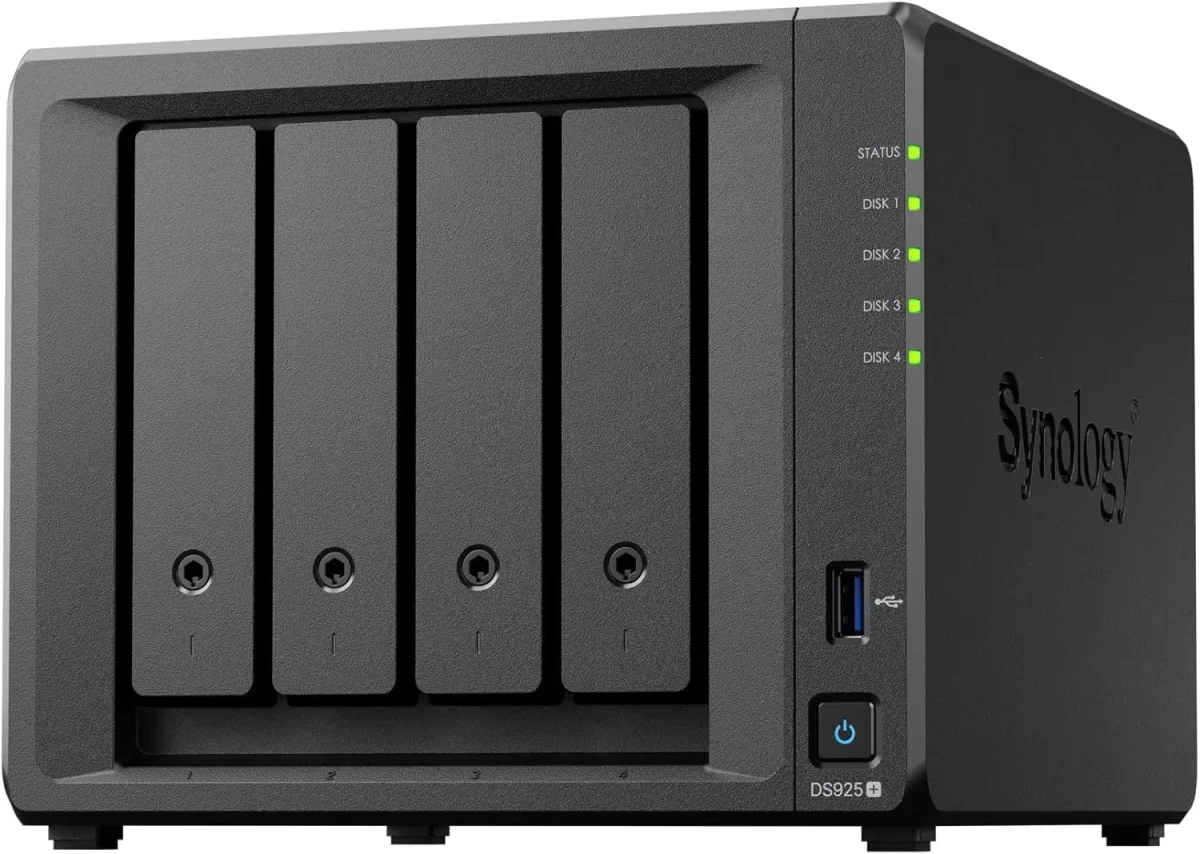
🏷️ SPECS:Btrfs File SystemImmutable SnapshotsHardware RAID 5/6/10Synology Hybrid RAID (SHR)Dual 10GbE SFP+ / RJ45Hot-Swappable SATA/SAS BaysActive Backup SuiteM.2 NVMe Cache AccelerationZero Per-User License FeesPrivate Cloud Drive SyncWORM Immutable StorageAir-Gapped Backup TargetHyper Backup to CloudSurveillance Station NVRActive Directory / LDAP SyncWindows ACL IntegrationReal-Time File VersioningCross-Office ReplicationECC Memory SubsystemDual Redundant Power Supplies4-Bay to 8-Bay Desktop Tower1U to 3U Rackmount RS-SeriesExpansion Unit ScalableEnterprise IronWolf / WD Red ProSynology HAT Enterprise DrivesSilent Fan Acoustic ModeEncrypted Shared FoldersAutomated S.M.A.R.T. ChecksSealed OEM Invoiced Units3 to 5 Year Hardware Warranty
Four branch warehouses and a head office sharing stock registers over messy email threads are an operational bottleneck waiting to cause dispatch errors. With Synology Drive and Hybrid Share, each branch runs a local NAS that synchronizes changes to the central storage hub in real time while caching frequently accessed files locally for instant offline access. When an internet line drops, local branch operations carry on without interruption, syncing back automatically the moment the line returns. We handle the complete storage provisioning, folder permissions, and branch synchronization across Rajkot.
🧭 Synology Deployment, Migration and Handover at multi-branch offices
Every month someone accidentally deletes a historical quotation folder or overwrites a complex CAD layout, and the only backup is a USB drive sitting in someone's drawer from six months ago. The Synology Enterprise Network Attached Storage (NAS) includes automated, agentless backup software (Active Backup for Business) that captures bare-metal system images of every office PC, physical Windows server, and virtual machine on your local network every night. Deduplication technology ensures that common files are stored only once, saving up to 70% of storage space. For an office near Metoda GIDC, that means any laptop can be restored to a new machine in an afternoon.
Your company pays monthly per-user cloud subscription fees just to store project files and back up Microsoft 365 mailboxes, and the monthly bills keep climbing as team headcount grows. An enterprise Synology Enterprise Network Attached Storage (NAS) replaces recurring cloud storage fees with an on-premise private cloud. The appliance automatically backs up all corporate Microsoft 365 or Google Workspace mailboxes, OneDrive files, and SharePoint sites locally with zero software licensing costs. Staff access their files securely from phones or home laptops over an encrypted private web portal, keeping your corporate data entirely under your control.
🔑 Why Businesses Pick Synology Enterprise Network Attached Storage (NAS) when budgets are tight
Very few businesses keep a static data volume over time. Start with four 8TB enterprise drives in RAID 5 today, and the same Synology enclosure allows you to add additional drives to open bays or replace existing drives with higher-capacity models on the fly without deleting your shared folders or stopping office work. We design each storage rollout near Metoda GIDC with expansion headroom so your investment stays scalable.
Ask any business owner who relied on an external USB hard drive for company backups what happened when they actually needed to restore data after a crash. The honest answer is usually heartbreak: the drive was unplugged months ago, dropped on the floor, or failed silently during a power surge. The Synology Enterprise Network Attached Storage (NAS) provides an automated, resilient, multi-drive storage array that runs continuously without depending on anyone remembering to plug in a cable. Businesses around Metoda GIDC invest in genuine centralized storage once and eliminate data loss anxiety permanently.
Manufacturing Plants: Machine Logs, ERP Backups and Dispatch Records
A 40-user chartered accountancy firm near Metoda GIDC stored five years of client audit files across separate desktop computers, suffering constant version conflicts and near-miss data loss during tax filing deadlines. We deployed a 6-bay Synology Enterprise Network Attached Storage (NAS) with 32TB of enterprise SAS/SATA storage in RAID 6, formatted with Btrfs immutable snapshots. We migrated their document archives into mapped department shares integrated with Active Directory permissions. Staff work together on shared audit ledgers easily, hourly snapshots run silently, and partners access client folders securely from home over an encrypted private cloud portal.
🛡️ SUPPORT AFTER THE STORAGE IS COMMISSIONED
What Happens When Our Storage Engineers Arrive
Deploying an enterprise Synology storage array into a live commercial network in Metoda GIDC begins with an inventory of shared folders, data growth rates, and department access permissions, not unboxing. We evaluate your current storage utilization, user concurrency, network switch speeds, and power protection before recommending a single enclosure. Only then do we schedule the migration window, typically over an evening, with a validated fallback plan so business operations are never disrupted.
Our engineers cover the following storage and backup tasks across Rajkot:
*Terms: Engineering labor, commissioning, and preventive maintenance are invoiced under our private service agreement, distinct from product hardware warranties.*
💡 Engineering Fact: Enterprise NAS hard drives include Rotational Vibration (RV) sensors that adjust read-write head positioning in real time to compensate for vibration from neighboring drives.
🧾 NAS HARDWARE HEALTH & DRIVE CHECK
Need to check hard drive health, expand storage pools, or upgrade memory on an existing Synology NAS in Metoda GIDC? Contact our storage desk for prompt diagnostic support.
Compare drive bay counts, network interfaces and expansion options below:
Plus Series Desktop NAS Towers for Small Offices and Studios
Compact 4-bay to 8-bay desktop tower NAS enclosures (such as DS923+, DS1522+, DS1821+) designed for offices of ten to fifty staff needing high-speed file sharing, private cloud access, and automated backups without requiring a server rack.
🔹 FILE SYSTEM
Full Btrfs support delivering automated file self-healing, real-time versioning, and immutable ransomware-proof snapshots.
🔹 BACKUP SOFTWARE
Pre-loaded with Active Backup for Business, backing up all office PCs, physical servers, and Microsoft 365 accounts with zero license fees.
🔹 WHAT IT'S FOR
Creative studios, CA firms, clinics, and commercial offices of ten to fifty staff needing centralized shared storage and automated backups.
1U Rackmount RS-Series NAS for Standard Server Cabinets
Compact 1U rackmount NAS enclosures (such as RS422+, RS822+, RS1221+) designed to fit shallow and standard 19-inch server cabinets, providing strong RAID storage and virtualization backup targets.
Compact 1U short-depth chassis design that fits into shallow 2-post and 4-post network cabinets with sliding rail kits.
🔹 VIRTUALIZATION READY
Certified iSCSI and NFS storage target for Microsoft Hyper-V, VMware vSphere, and Citrix XenServer environments.
2U High-Capacity Rackmount Storage Servers for Enterprises
High-density 2U rackmount storage servers (such as RS2423+, RS2821RP+, RS3621xs+) built for heavy multi-user concurrent access, large media archives, and high-capacity database backup repositories.
🔹 WHO IT SUITS
Large corporate headquarters, media production facilities, hospital archives, and multi-branch data consolidation hubs.
🔹 10GbE/25GbE UPLINKS
PCIe Gen3/Gen4 slots supporting dual-port 10GbE and 25GbE SFP28 fiber interfaces for high-bandwidth switch uplinks.
🔹 DUAL REDUNDANT PSUs
Dual hot-swappable 500W+ Platinum power supplies connected across separate online UPS lines.
Enterprise 24/7 SAS and SATA Hard Drives and Trays
High-endurance good for large-scale setups SATA and SAS hard drives (from Seagate IronWolf Pro, WD Red Pro, and Synology HAT series) engineered for continuous 24/7 multi-bay vibration environments.
🔹 WHAT IT'S FOR
Certified enterprise storage drives designed for 24/7 multi-user read-write duty cycles inside multi-bay NAS enclosures.
🔹 HOT-PLUG READY
Mounted in durable drive caddies allowing single-drive replacement while the storage array continues serving data.
🔹 WARRANTY COVERAGE
Backed by 5-year manufacturer warranty coverage with data recovery rescue services on certified drive tiers.
M.2 NVMe SSD Cache Modules and 10GbE Network Cards
High-endurance enterprise M.2 NVMe solid-state drives for read-write cache acceleration, paired with PCIe 10GbE SFP+ fiber network adapters for wire-speed collaboration.
🔹 HIGH RANDOM IOPS
Boosts random read-write throughput up to 100,000+ IOPS, making multi-user file opening instantaneous.
Installed in dedicated internal M.2 motherboard slots, keeping all front 3.5-inch drive bays available for storage.
Synology High Availability (SHA) Redundant Storage Clusters
Active-Passive dual-NAS clustering that combines two identical storage servers into a single redundant cluster, providing automatic sub-minute failover if hardware fails.
🔹 HEARTBEAT LINK
Direct high-speed network connection between units monitors hardware health, network links, and storage status continuously.
🔹 AUTOMATIC FAILOVER
If the primary unit suffers a hardware, power, or network fault, the secondary unit takes over all shares in seconds.
🔹 AUDIT COMPLIANCE
Provides verified continuous data availability for healthcare, banking, and manufacturing compliance standards.
Active Backup for Business: License-Free PC, Server and M365 Backup
Complete, centralized backup software embedded in DSM that backs up all office Windows PCs, physical servers, virtual machines, and cloud mailboxes locally with zero recurring license fees.
🔹 PC BARE-METAL BACKUP
Automated scheduled image backups of Windows laptops and desktops, allowing full system restores in an afternoon.
🔹 REPORTING & ALERTS
Automated daily email summaries confirming backup job completion and flagging any disconnected laptops.
🔹 MICROSOFT 365 BACKUP
Backs up all corporate Exchange mailboxes, OneDrive accounts, and SharePoint team sites locally on schedule.
Surveillance Station NVR Storage and Camera Licensing
Turns your Synology NAS into an good for large-scale setups Network Video Recorder supporting high-definition IP cameras, automated motion recording, and secure mobile monitoring.
🔹 CAMERA SUPPORT
Compatible with over 8,000 ONVIF and enterprise IP cameras (including CP Plus, Hikvision, Dahua, and Axis).
🔹 SURVEILLANCE DRIVES
Paired with surveillance-grade enterprise hard drives (WD Purple Pro, SkyHawk AI) rated for continuous write streams.
🔹 WHAT IT'S FOR
Centralizing office, warehouse, and factory IP CCTV video recording onto secure, redundant RAID storage.
Storage AMC Contracts, Health Monitoring and Preventative Upkeep
Annual maintenance contracts providing scheduled Btrfs data scrubbing, S.M.A.R.T. Drive health analysis, snapshot verification, and emergency on-site attendance.
🔹 HOT-SPARE POOL
Standby enterprise NAS hard drives, optical patch leads, and tested power adapters held ready for rapid replacement.
🔹 PROACTIVE MONITORING
Telemetry monitoring tracking drive S.M.A.R.T. Health, pool space utilization, and backup job completion.
🔹 RESTORE DRILLS
Scheduled live restore drills validating snapshot rollbacks and bare-metal PC image restores quarterly.
✉️ Service & Maintenance Support
Need site visits, AMC contract estimates, or customized installation architecture? Connect with our technical desk directly.
✅ Preventive Checks and Monthly Reporting for single-office teams
Industry Sector
Typical NAS Storage Configuration
Standard Lead Time
Hospitals & Diagnostic Centers
2U Rackmount NAS with multi-terabyte storage pool for 24/7 PACS medical imaging archives and lab records
Scheduled 7 to 10 business days
Corporate Head Offices
High-Availability Dual-NAS cluster with Active Backup for Microsoft 365 mailboxes and department file shares
Typically 5 to 7 business days
Commercial Security & Facility Teams
Rackmount NAS running Surveillance Station with high-endurance surveillance hard drives for 32+ 4K IP cameras
Typically 3 to 5 business days
✅ Handling Peak Load at Month-End when the office is busiest
Evaluated across thirty concurrent client workstations accessing shared folders.
BENEFITS YOU WILL NOTICE - IN PLAIN WORDS
COMMON COMPLAINTS SPELLED OUT UPFRONT
✓Files open in seconds across the office network because the storage array manages concurrent read-write transactions on dedicated hardware.
—Enterprise hard drives are sold separately from the NAS enclosure and represent a major part of the overall storage investment.
✓Full manufacturer warranty with genuine serial numbers registered directly to your company, backed by local engineering support in Rajkot.
—Administering granular Windows ACL permissions across complex multi-department folder trees requires structured planning before rollout.
✓Dedicated M.2 NVMe SSD cache slots accelerate random read-write IOPS throughput without consuming front storage drive bays.
—Consumer desktop hard drives should not be used in multi-bay RAID arrays; they lack rotational vibration sensors and drop offline under heavy load.
✓Easy to set up without complications with Windows Active Directory and LDAP allows existing office user accounts and security permissions to map directly.
—Branch synchronization requires stable outbound internet bandwidth at all participating locations for smooth real-time file replication.
✓Dual redundant power supplies on rackmount models protect storage operations against electrical trips and power cord disconnections.
—RAID parity calculations and snapshot overhead reduce usable storage capacity by 20% to 35% compared to raw hard drive ratings.
💡 Engineering Fact: Active Backup for Business global deduplication analyzes data blocks across all backed-up office workstations, storing identical Windows operating system files only once.
⚡ SYSTEM DEPLOYMENT ARCHITECTURE
Ready to secure your premises in Metoda GIDC?
Get comprehensive structured network setups, professional hardware alignment, and authorized warranty support allocations natively.
🗒️ Common Failures and How We Fix Them for demanding workloads
Enable automated Btrfs data scrubbing and S.M.A.R.T. Extended drive tests on a monthly schedule during non-working weekend windows. Background data scrubbing reads all data blocks, verifies checksums, and uses RAID parity to correct silent bit rot before a second drive failure can compromise the array.
Traditional Windows file servers consume significant power (300W+), require expensive Windows Server OS licenses and Client Access Licenses (CALs), and demand regular reboot windows. A dedicated Synology NAS runs on energy-efficient hardware (30W-80W) with zero client access licensing fees.
Consumer cloud-sync drives copy encrypted ransomware files straight to the cloud, overwriting good historical copies automatically. Synology immutable Btrfs snapshots freeze local historical versions with WORM compliance policies, ensuring that original unencrypted files remain recoverable.
💡 Engineering Fact: Connecting the NAS to an online UPS via USB enables automated safe mode shutdown, flushing unwritten cache to disk and dismounting volumes before battery power depletes.
🧮 Feature List and Technical Detail for larger offices
Private cloud and cross-branch synchronization capabilities allow staff to access company files securely from any browser or mobile device. Synology Drive provides real-time file versioning and on-demand synchronization, while Drive ShareSync keeps shared folders synchronized between head office and remote branch locations across Rajkot automatically.
Management is handled through an intuitive web-based interface (DiskStation Manager) with full Windows Active Directory and LDAP integration. User access permissions, folder quotas, storage pool health, and automated S.M.A.R.T. Disk diagnostic alerts are monitored and administered from a single screen.
🏆 CORE PARAMETER🔹 Drive Form FactorsHot-Swappable 3.5-inch and 2.5-inch SAS/SATA Enterprise HDDs and SSDs
🏠 File System ArchitectureBtrfs with Self-Healing Metadata and Ext4 Support
🔹 Expansion CapabilitySupports eSATA and SAS Multi-Bay Expansion Units (DX/RX Series)
🔹 Hardware RedundancyDual Hot-Swappable Platinum Power Supplies (Rackmount Models)
🔹 Backup SuitesActive Backup for Business, Active Backup for M365, Hyper Backup
🔹 Surveillance SupportBuilt-in Surveillance Station NVR supporting 4K IP Cameras
Btrfs File System Integration and Secure Data Architecture: Synology
High availability clustering capabilities allow two identical storage units to be combined into an Active-Passive high-availability cluster, ensuring automated sub-minute failover of all storage services and network shares if a physical hardware fault occurs.
Backed by rigorous manufacturing standards and comprehensive multi-year hardware warranties, Synology storage solutions deliver verifiable data protection, continuous availability, and dependable performance for growing commercial enterprises.
✉️ SUPPORT DESK
Coordinate custom hardware configurations, AMC maintenance contracts, and site engineering visits directly with authorized integration desks.
Turnkey Enterprise Network Attached Storage (NAS) Metrics Checklist near Metoda GIDC
🛠️ Workflow Setup
Lab pre-staging: The NAS enclosure is unboxed on our Kolkata bench, enterprise hard drives are populated, and 24-hour bad sector surface scans are completed.
⚠️ Pitfalls to Avoid
Never skip the 3-2-1 backup rule; an on-premise NAS protects against disk failure, but physical building disasters still require an encrypted offsite copy.
🔌 Guidelines & Sizing
Use 100% solid bare copper Cat6A cabling for 10GbE network runs, avoiding cheap copper-clad aluminium (CCA) cables that cause packet errors.
📈 Upgrade Triggers
Your office shared folder crashed during a power cut, and recovering lost accounting files took two full working days.
🛠️ 10GbE SFP+ Fiber Uplinks, Link Aggregation and Switch Port Bonding
Review these physical installation standards before fixing your storage deployment date. Getting drive seating, power signaling, and thermal clearances right upfront prevents disk drops in Metoda GIDC.
🏢 Installation & Setup - A Timeline around Metoda GIDC
🔹Separate the NAS management DSM web interface to an administrative VLAN and disable the default administrator username to prevent brute-force attacks.
🔹When installing M.2 NVMe SSDs for cache acceleration, configure a read-write mirrored cache pool rather than a read-only cache for optimal database throughput.
🔹Connect the NAS management USB cable directly to an online double-conversion UPS and enable automated safe standby shutdown on low battery alerts.
Frequently Asked Questions
Q. How does M.2 NVMe SSD cache improve file transfer speeds?
Physical hard drives excel at sequential file transfers but experience latency during random read-write access from multiple concurrent users. M.2 NVMe SSD cache modules store frequently accessed database indexes, small files, and system metadata in high-speed flash memory, reducing I/O latency to sub-millisecond levels and accelerating application response times.
Q. Can the NAS mix with our existing Windows Active Directory area?
Yes. Synology NAS appliances mix natively with Windows Active Directory and LDAP directory services. All existing area users and security groups synchronize directly to DSM, allowing you to assign granular Windows ACL permissions to shared folders without recreating user accounts.
Q. What happens if our storage runs out of space in two years?
You can expand storage in three ways: replace existing hard drives with larger-capacity drives one by one on the fly without deleting data, insert additional drives into unpopulated drive bays, or connect a multi-bay expansion enclosure (such as DX517 or RX1222sas) to the dedicated expansion port.
Q. Why should our business buy a Synology NAS instead of storing files on a Windows desktop PC?
A Windows desktop PC used as a file server relies on consumer components, single-channel non-ECC RAM, and a single hard drive without hardware redundancy. When multiple users open large files simultaneously, network queues form, transactions lag, and a sudden power cut can corrupt shared files. A Synology Enterprise Network Attached Storage (NAS) is engineered for 24/7 continuous multi-user storage, featuring hardware RAID redundancy, Btrfs self-healing file systems, immutable snapshot protection, and dedicated high-speed network interfaces.
Q. Who owns the administrative logins, passwords, and storage maps?
You do. At project sign-off, we hand over a comprehensive documentation package containing all root administrator passwords, IP allocation maps, RAID configuration sheets, snapshot retention schedules, and warranty details. Your company maintains complete administrative ownership.
💡 Engineering Fact: Metadata self-healing on Btrfs storage volumes reads duplicate metadata blocks and uses RAID parity to automatically detect and repair silent data corruption.
🔄 RELATED INFRASTRUCTURE SOLUTIONS
Complementary Enterprise Systems We Deploy in Metoda GIDC
Provide fast wireless file access across your office floors with business Wi-Fi access points in Rajkot.
Metoda GIDC in Rajkot is one of Saurashtra's largest industrial estates, housing hundreds of auto-parts factories, casting foundries, and engineering plants. Managing large factory compounds, loading bays, and material yards requires heavy-duty Enterprise Network Attached Storage (NAS) hardware from Synology. Die-cast aluminum camera housings and IP67 weather seals protect internal processing chips from industrial dust, heat, and seasonal rains, ensuring continuous 24/7 video write stability.
For factory security leads and plant managers in Metoda GIDC, choosing Synology camera systems guarantees strong perimeter defense and complete visual accountability.